Filtering using parameters
In many cases you will want to use report parameters when filtering SharePoint lists data. Until now, it was necessary to use a very specific syntax (the name of a parameter surrounded by @ and !), to indicate that you are referring to a report parameter.
That’s not really difficult but not always intuitive especially when discovering the product.
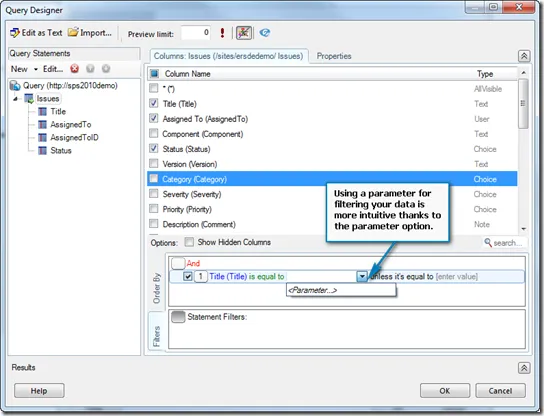
Therefore, with Enesys RS Data Extension 3.8, a “<Parameter…>” option is available as shown in the following screen shot:
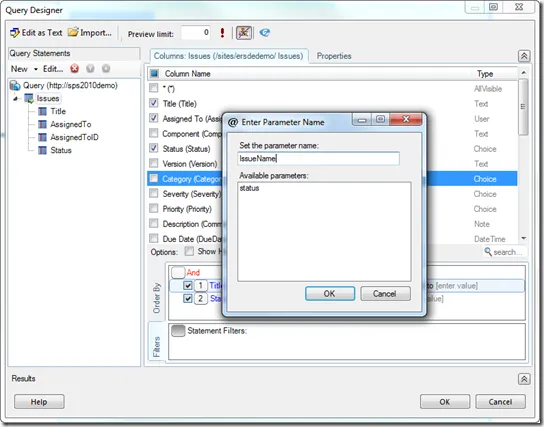
When selecting the “<Parameter…>” option, a dialog box lets you either select an existing parameter or enter a new parameter name:
Filtering on choice columns
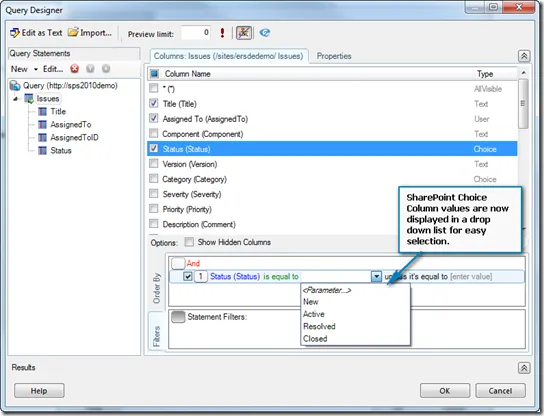
When filtering on SharePoint columns of type Choice, choices values are displayed and available for selection as shown in the following screen shot:
This is also available for some specific columns like the workflow status:
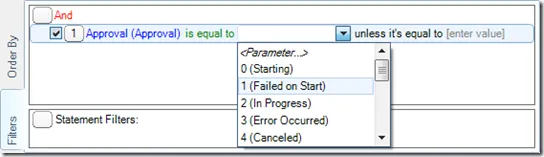
Note that the workflow status value is of type integer. The label displayed next to the integer value is for visual help only.
Renaming Statements
In previous versions of Enesys RS Data Extension, renaming a statement could lead to an overall invalid query when the statement was used, for instance, in a SqlQuery statement for joining multiple lists. Indeed, in that case, the SQL Select statement is not updated to reflect the new name of the statement.
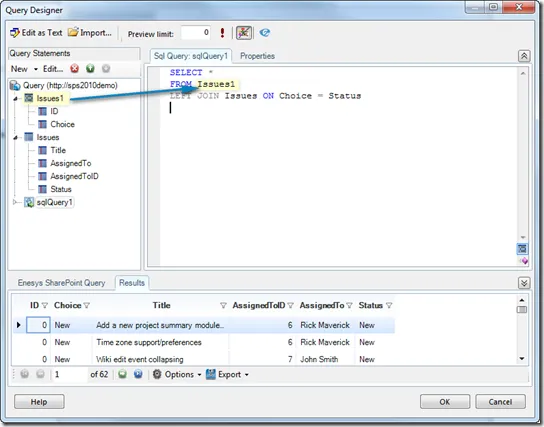
If you look at the screen shot below, the query includes a “SqlQuery” statement that joins both “Issues1” and “Issues” statements. With versions prior to 3.8, renaming “Issues1” will not update the “SELECT” clause. It will be necessary to make the modification manually.
With Enesys RS Data Extension 3.8, renaming a statement will automatically update the overall query to reflect the change. No more manual update is necessary.
Statement Fields
Enesys RS Data Extension offers various specialized Statements for retrieving data from SharePoint lists, InfoPath libraries, SQL Server, Oracle, and much more.
You can mix and match the data in those statements by using a “SqlQuery” statement that lets you use SQL Select syntax.
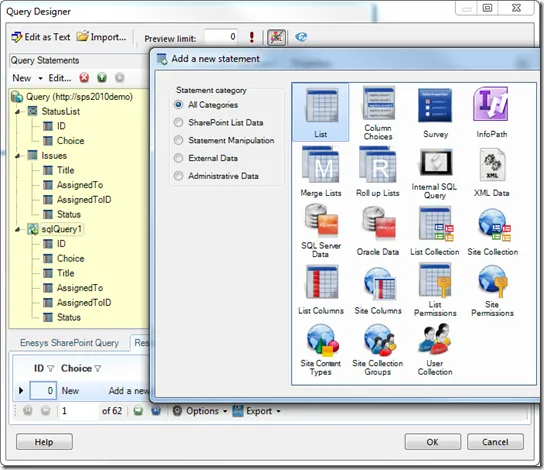
At time, when creating sophisticated queries, things can get complex. Intellisense features made available a few versions ago were a great step in the right direction. In version 3.7, we added visual information by displaying - in the query statements panel (the yellow area in the image below) - the fields associated with a specific statement. This was however limited to a few set of statements.
With Enesys RS Data Extension 3.8 we have generalized this approach to all statements. You can therefore have an overall view of your statements and fields which greatly helps when building complex queries: