SharePoint Lists Features
Get folders, items or both
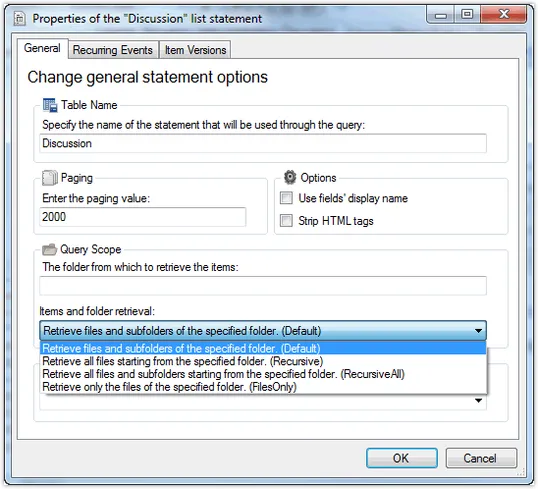
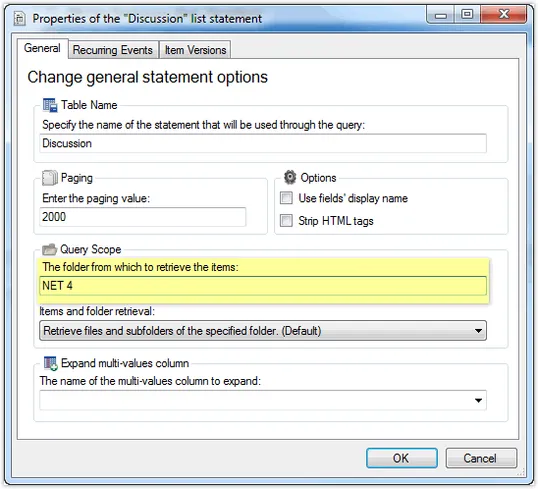
Folders are not limited to document libraries. You can create folders within any list. The standard "Discussion" list for instance handles each discussion using a folder.
With Enesys RS Data Extension, you can limit items retrieval to a specific folder (no need to retrieve all the list items and to filter afterward). And because you can use a report parameter to specify the desired folder, you can handle most complex scenarios. For instance, you may want to get all the replies from a specific discussion, or you may want to get data from a list where each folder represents a year.
For maximum flexibility, you can also retrieve items in all possible ways. You can get items (and optionally sub-folders) in a specific folder or recursively in all sub-folders.
Include Item Versions information in your reports
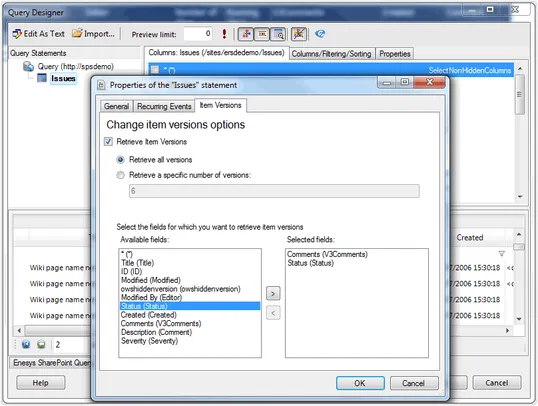
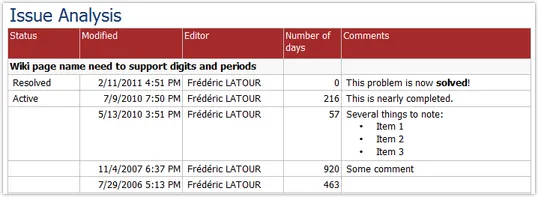
Versioning is a great feature of SharePoint to keep track of changes within lists or document libraries. The "Issue Tracking" list uses versioning to keep a history of changes.
By letting you retrieve Item Version, Enesys RS Data Extension lets you display the whole history of any issue or project task. It also lets you analyze specific aspects of your tasks or issues: for instance the number of days between each modification.
Multi-value fields
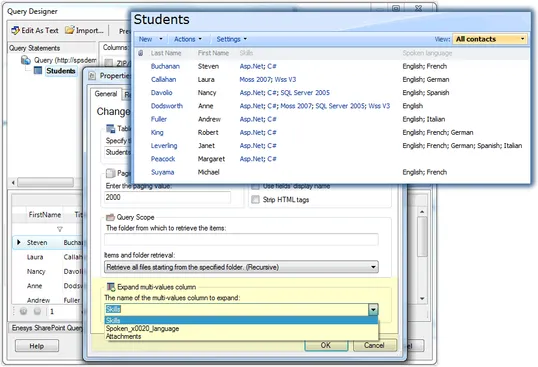
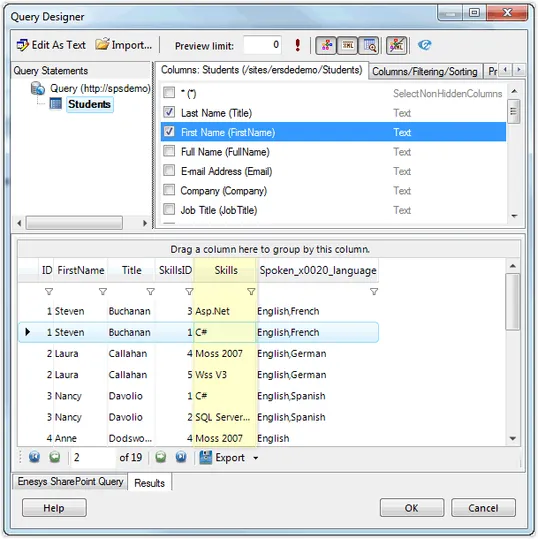
SharePoint allows some fields to handle multiple values: Lookup, Choice, Person or Group,... Enesys RS Data Extension allows you to break down multi-value columns data into multiple single values. This approach lets you build reports that can display items grouped on any multi-value field as well as provide the necessary granularity to accomodate all kinds of calculation. You can watch the following screencast for additional information: SharePoint multi-value fields
InfoPath Forms
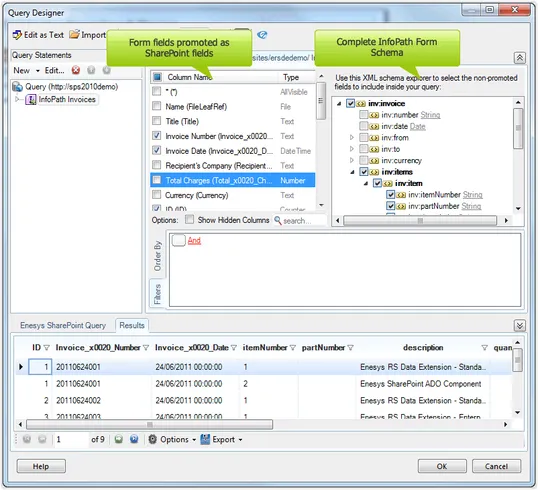
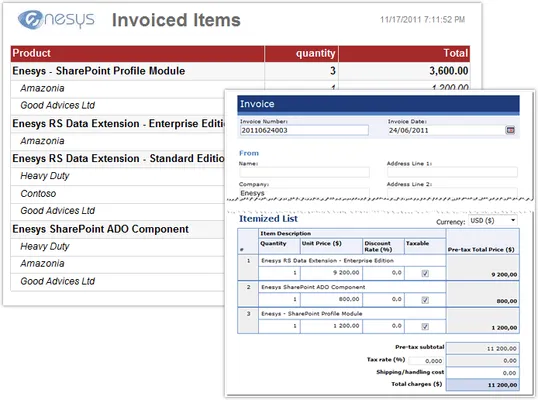
InfoPath Forms store their data in an XML file within an InfoPath Form Library. You can promote InfoPath fields at the SharePoint level as long as those fields are not repeated. However one of InfoPath strengths is to allow for complex forms with repeated elements.
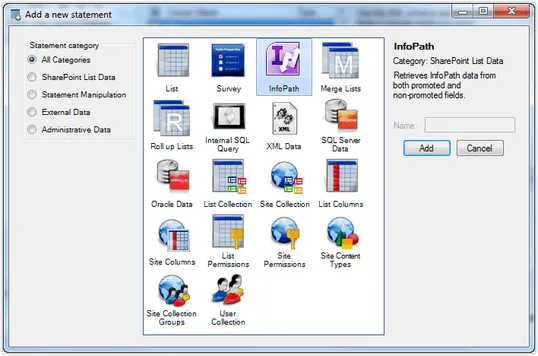
Enesys RS Data Extension explicit support for InfoPath Form Libraries lets you select any field in your InfoPath Form. And, as you can expect, it will return multiple items per form when you select repeated fields.
Using this feature, you can display your form using multiple alternative layouts and, extend your InfoPath Form data analysis to a more detailed level.
Choice Column Values
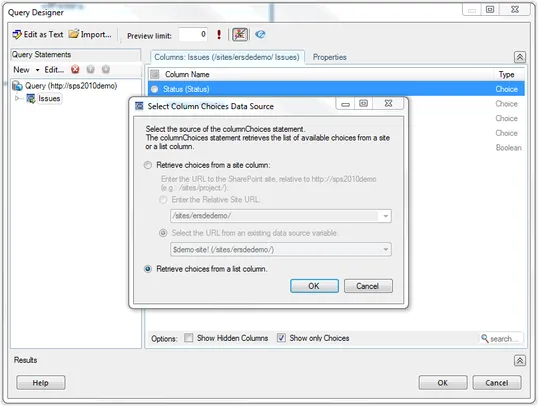
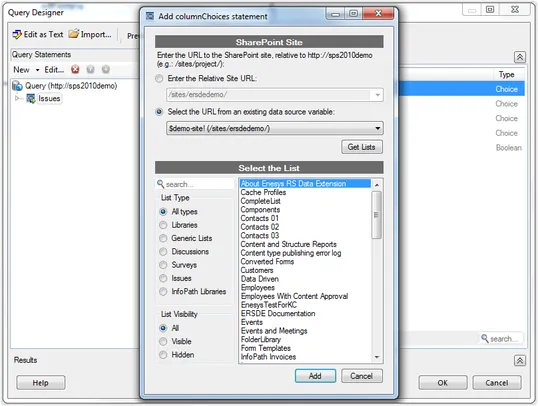
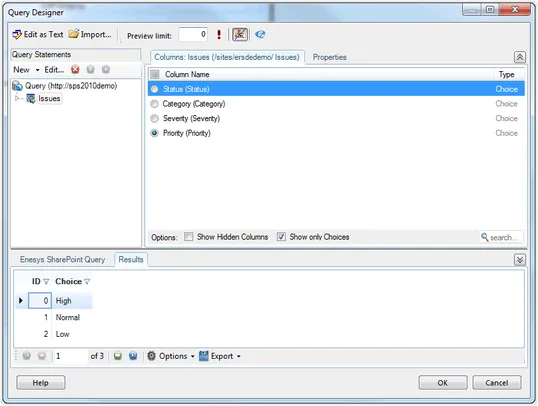
Enesys RS Data Extension allows you to retrieve values from a Choice column. This feature can be useful in scenarios where knowing that no items are associated with a specific choice is meaningful.
When using a report parameter for filtering a list based on the values of a choice column (ie: status, priority,...) you may decide that one can only select amongst "choices" already in use in your list. However, in some cases, you may prefer having all the "choices" available for selection so that the user running the report knows that some specific "Choice" value does not return any items.
Another scenario for using this feature is when you would like some report to group items on a "Choice" column and display empty groups for "Choices" that are not currently being assigned to any items.
Distinct Field Values
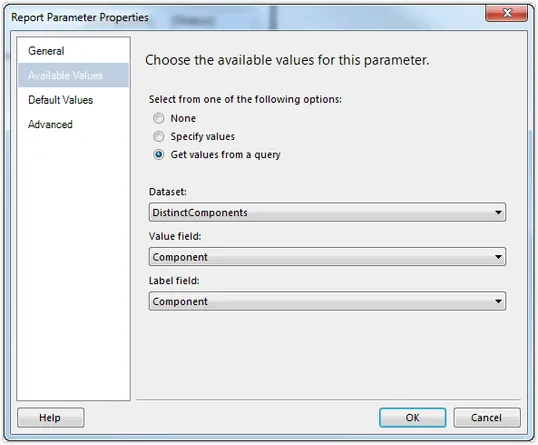
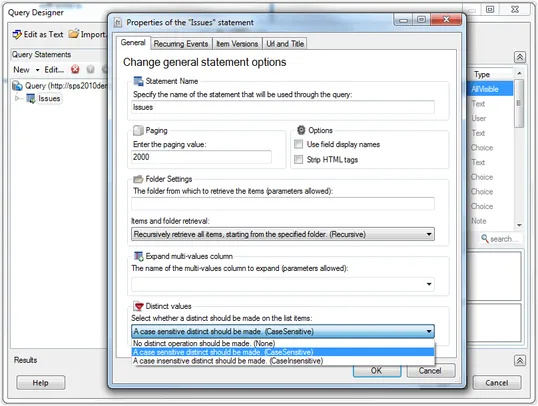
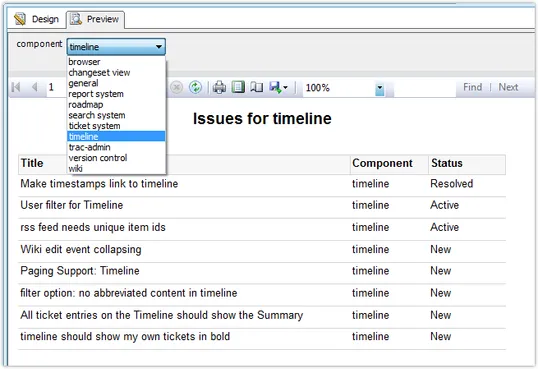
Retrieving distinct field values is especially usefull when using report parameters.
Using Enesys RS Data Extension distinct values feature, you can easily create a dataset to retrieve distinct values from any SharePoint list and use this dataset to supply the available value of your report parameter.
Survey Lists
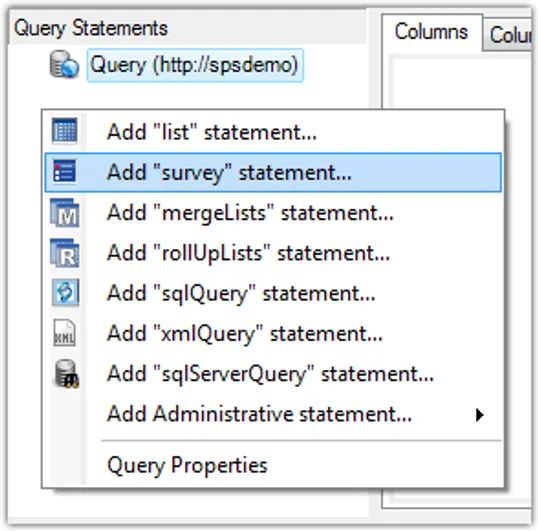
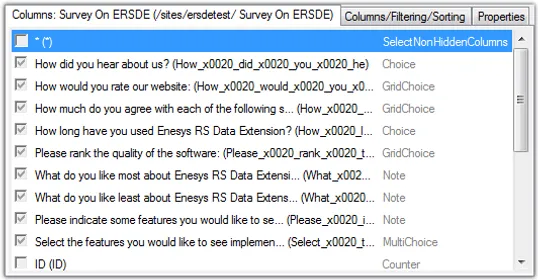
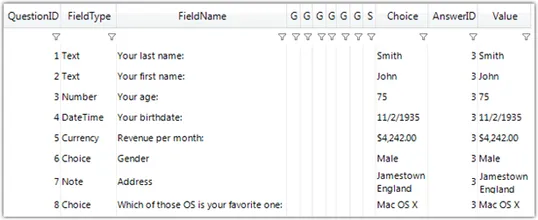
Survey lists store data in a very specific way. Even though Enesys RS Data Extension lets you retrieve data from a Survey list like with any SharePoint list, it is challenging to build a meaningful report out of the raw data that is returned from such a list.
For that reason, Enesys RS Data Extension provides a specific command that returns Survey list data in a format that can be used for creating great looking reports.
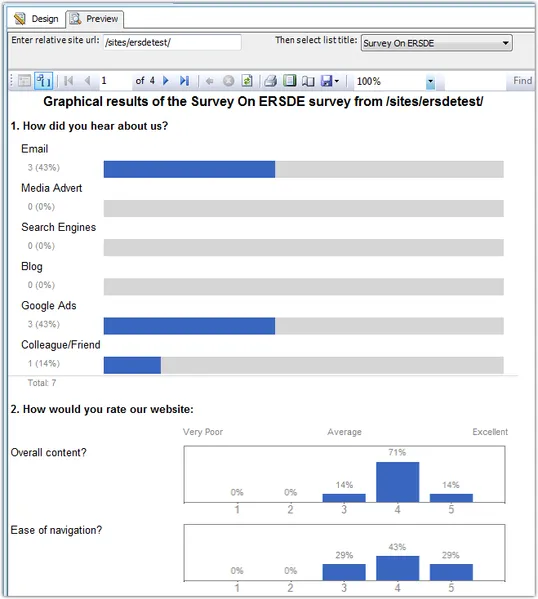
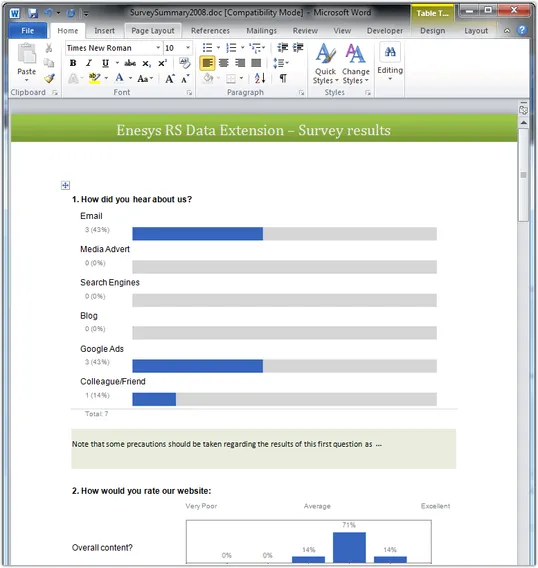
And if you don't have time to come up with a report of your own, just use our generic report that mimics the look and feel of SharePoint Graphical Summary view.
Recurring Events, Meeting instances, ...
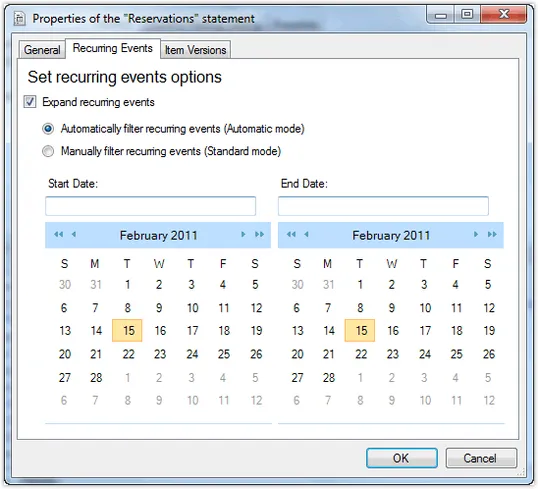
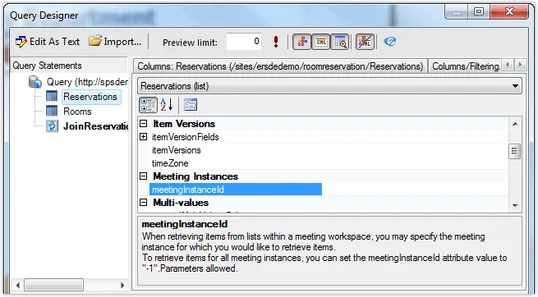
Enesys RS Data Extension also supports Recurring events, Meeting instances,...
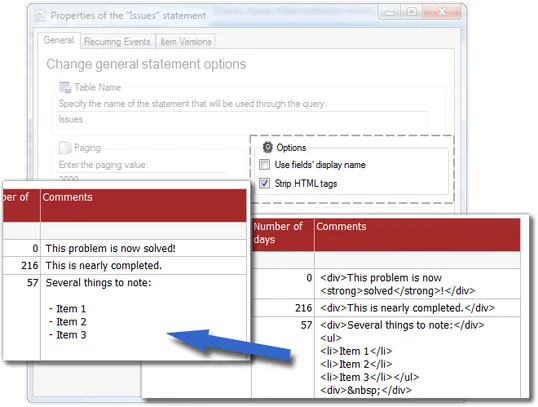
If you are using SSRS 2005 (as opposed to SSRS 2008), you will also appreciate the possibility to strip HTML. Not only HTML tags will be removed because they would be displayed as plain text, but Enesys RS Data Extension will make its best effort to format the data nicely without the use of HTML tags.