SqlQuery statement is central to Enesys RS Data Extension innovative approach to build sophisticated queries. If you are not familiar with the concept of “statement” within Enesys RS Data Extension, you can read the following article. SqlQuery statements lets you further manipulate the resulting data from other statements by using SQL SELECT syntax.
Enesys RS Data Extension 3.5 already provides limited intellisense features. Version 3.6 brings great enhancements in this area.
Extended Statement Support
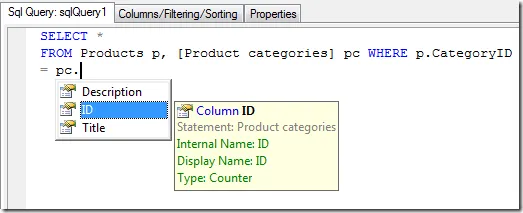
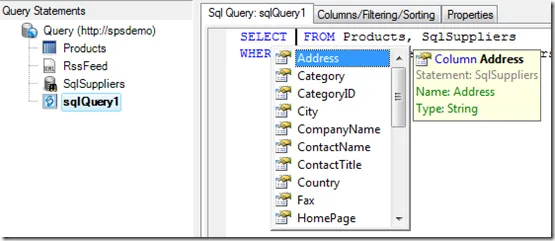
In version 3.5, when joining a SharePoint list and the result of a SQL Server query, intellisense is provided for the SharePoint fields only. You need to enter the SQL columns manually.
Version 3.6 will add support for XmlQuery, SqlData and SqlQuery statements and provide their fields/columns as part of the intellisense support.
SELECT Snippet
A “SELECT” snippet for inserting a SELECT clause with a FROM clause that selects a single statement is available.
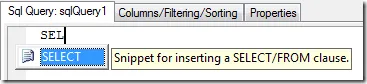
By validating (with the Tab key), the snippet is inserted:
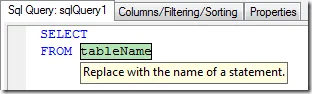
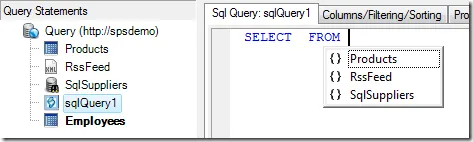
Available statements are proposed for selection:
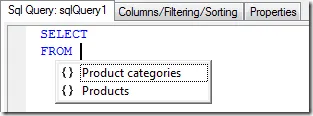
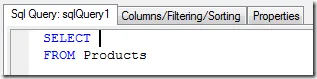
Enter/select the desired statement and click on Enter to validate the snippet modification. The caret is then moved just after the SELECT so that you can select your fields:
JOIN Snippet
A “Join” snippet for inserting a JOIN clause is also provided:

Enter or select the name of the joined statement:

Click on the tab key to move to the next placeholder and select the first joining column:

And then, the second joining column:

You can move to any placeholder by clicking on the Tab key to move forward or the Shift+Tab key to move backward.
SQL Functions Support
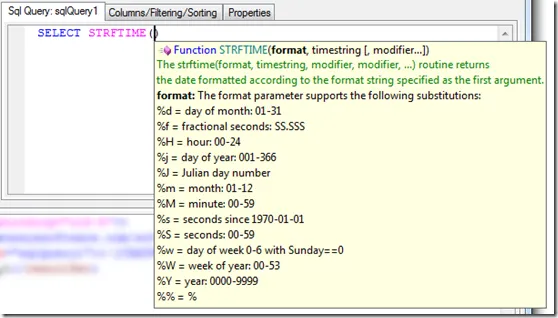
SQL functions are listed with their associated parameters and a brief description:
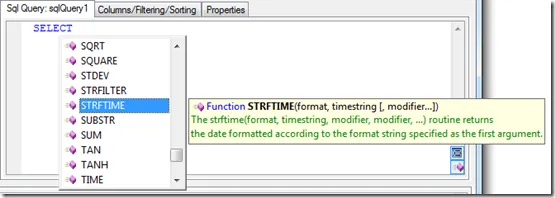
Parameter description is available while editing a function:
Better Contextual Support
Real time query parsing has been much improved in order to provide contextual intellisense support.
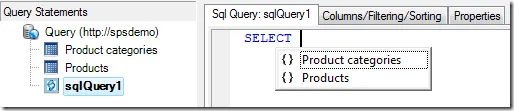
Two statements are available (“Product categories” and “Products”), but none is selected inside the current SQL query. Therefore, no fields are proposed for selection:
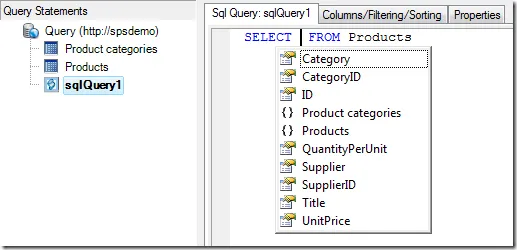
Fields from Products list are available for selection:
Fields from both Products and Product categories lists are available for selection:
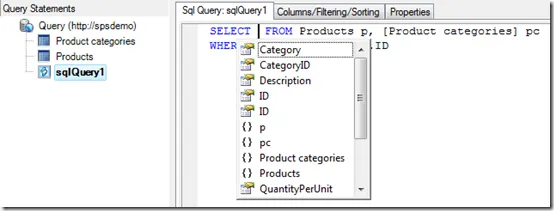
Table aliases are supported as well: