This is of course not a problem specific to Enesys RS Data Extension. Because it is not possible for NTLM authentication to pass 2 machines (the famous double-hop problem), you would be facing the exact same problem when querying a database or a web service unless they are located on the same machine as the report server.
In this article, I will not show how to configure Kerberos (many documents and articles are already available). My goal is just to provide a few links to resources we consider as being useful. We also provide a few hints that may prove useful during the configuration process.
Resources
Configuring Kerberos authentication for SharePoint 2010 Products
Detailed document that gives you information that will help you understand the concepts of identity in Microsoft SharePoint 2010 products. It also explains how to configure Kerberos Authentication within your environment.
Manage Kerberos Authentication Issues in a Reporting Services Environment
A white paper that provides information on how to configure, manage and troubleshoot Kerberos authentication in a SSRS 2008 environment.
Kerberos in a SharePoint environment
This article goes through the basics of using Kerberos in a SharePoint environment.
Additional information
SharePoint, Reporting services and Kerberos authentication
Beware of CNAME records when configuring SPN.
Essential Tips On Kerberos for SharePoint Deployers
Various tips that may prove useful when configuring Kerberos: for instance, you can’t have two identical SPNs registered to different accounts (even though the setspn.exe -A command will let you do so).
Kerberos for SharePoint on Server 2008 with IIS 7
With IIS7, you will need to modify the c:\windows\system32\inetsrv\config\applicationHost.config file in order to configure the windowsAuthentication to use Application pool credentials.
And also
When configuring Kerberos, it is often useful to be able to check that Kerberos is being used when accessing some URL (because, it could just work properly by negotiating and choosing NTLM).
Using Fiddler
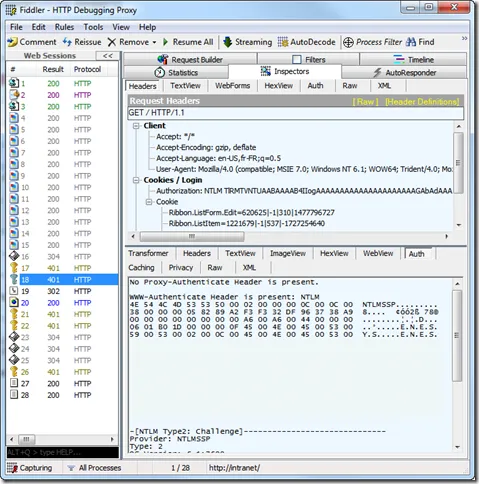
By using fiddler for accessing some URL, you can verify the protocol being used for authentication. Here are some screen shots for NTLM authentication:
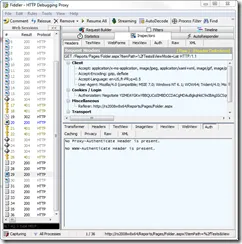
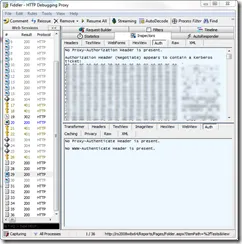
Some screen shots for Kerberos Authentication:
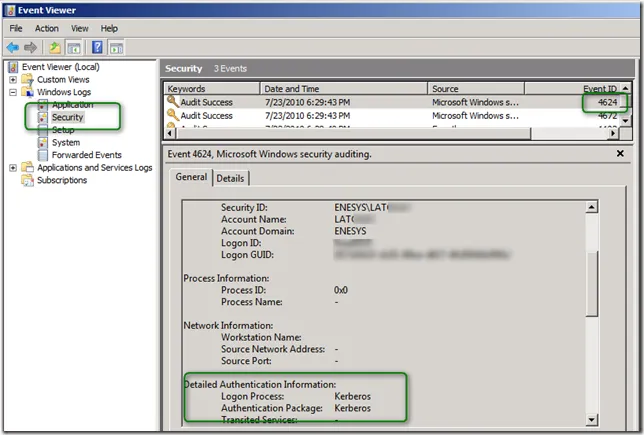
Another approach is to check the event viewer of the machine on which you are configuring some service/application for Kerberos authentication – Reporting Services in our sample. After browsing some page on the report server, check the security even log for Events with an ID of 4624. You should see the user name and the authentication protocol being used.
Conclusion
Depending on your installation and experience, configuring Kerberos may take some time. Even though there are many articles available, it often happens that our configuration is not exactly what is described in an article. To avoid any frustration, you should write down the accounts and machine involved in your system, prepare a to-do list describing the various configuration steps that you will need to follow.