New features
Forms Based Authentication
Enesys RS Data Extension now supports SharePoint Forms Based authentication. By simply setting the authentication mode in the data source connection string, you can build reports from SharePoint sites configured with Forms Based Authentication.
Note: Forms Based Authentication feature is only available in Standard and Enterprise Editions.
Improved performance when rolling up items into an entire site collection
In this version, Enesys RS Data Extension can take advantage of the SharePoint object model when Reporting Services is installed in SharePoint Integrated mode. This can lead to tremendous performance improvement in some scenarios.
Enesys RS Data Extension provides two distinct methods that implement the object model. The reason is that one of the method which is extremely fast in many situations has some limitations that will prevent its use in some scenarios:
- The Recursive method is similar to the Web Services approach in that it will collect items in each site and sub-sites. However, it allows specific pre-filtering optimizations.
- The CrossSite method uses SPSiteDataQuery that allows retrieving items within using a single call. Though this method can be extremely fast, it has also several limitations that prevents its use in all situations.
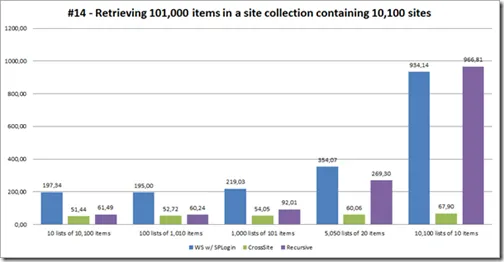
The following chart shows various measures over a sample site collection:
- The site collection contains 10 100 sites
- 101 000 items are retrieved in all 5 cases
- The items are split up into a different number of lists (horizontal axis)
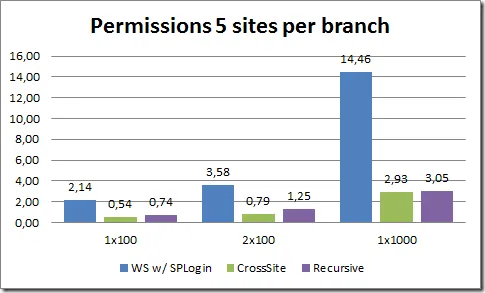
Another area where both CrossSite and Recursive methods are far more efficient than the Web Services approach is when a report is run under the credentials of the current user and that user has only access to a small set of the available lists.
The following chart highlights this by comparing the 3 methods when retrieving items from a site collection of various sizes (100 sites, 200 sites and 1000 sites) for a user that has only permissions to 5 sites within the collection.
Improved performance when retrieving version information
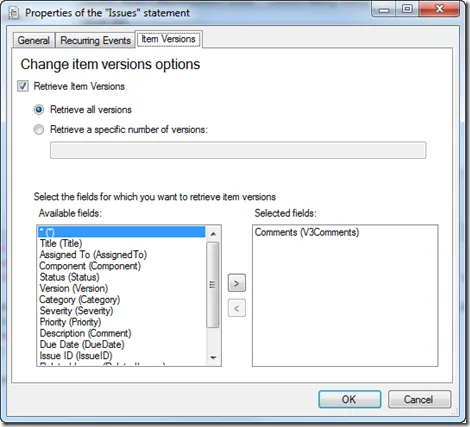
In previous versions, retrieving item versions was an all or nothing option. Enesys RS Data Extension would retrieve version information for all the selected fields.
Retrieving item versions is a time consuming process. In this version, we have added the possibility to specify the fields for which you need version information.
Improved User Interface
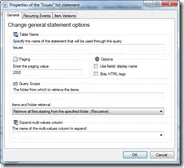
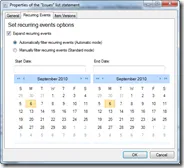
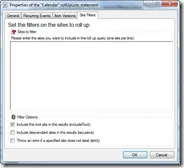
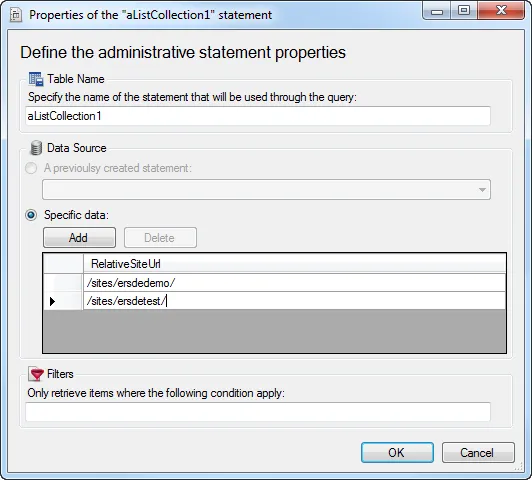
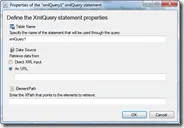
As an alternative to the current approach for setting statements properties using the available property editor, version 3.5 also provides a better user experience with more engaging dialog boxes:
Use data source variable when mixing SQL Server data and SharePoint lists
In this version, you can use “data source variables” to specify SQL Server Connection String properties.
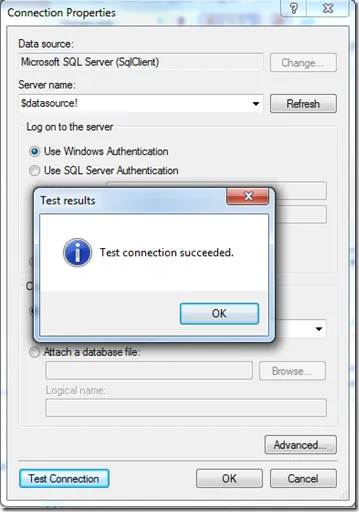
This additional feature makes it easier for moving reports from a development environment to a production environment by simply modifying the shared data source.
New Data Source Connection String options
Three new data source connection string options are available to help you fine tune how Enesys Data Extension retrieves data from your SharePoint server:
- timeout: The time (in milliseconds) to wait for each Web Services call to execute before a timeout occurs. Default value is 300000 (5 minutes).
- retryTime: The time (in milliseconds) to wait before retrying a call when a timeout occurs. If the value is specified, a single retry will be made, if the value is not specified, no retry will be made.
- sleepTime: The time (in milliseconds) to wait between two calls made to retrieve the list items (a paging mechanism is used to get items from lists that contain more than 2000 items). If no value is specified, the next call will be made just after the first one is parsed without any pause.
Installing the new version
How do you know if you are eligible to install the new version?
The maintenance provides you with both support and all new versions released during the maintenance period. In order to be able to install the new version with your current license key, your Maintenance End date must be greater than or equal to December 12 2010.
The easiest way to check if you are still covered by a maintenance is to launch either the “Client Configuration tool” or “Server Configuration tool”:
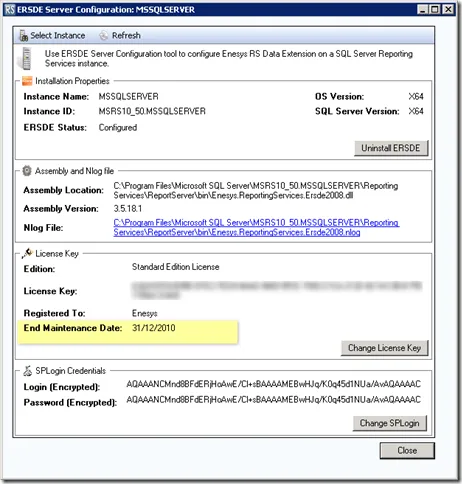
If you are not covered by a maintenance anymore and would like to upgrade to this version, please send an email to our support with your current license key. We will send you an upgrade offer.
Upgrade process
Enesys RS Data Extension 3.5 is compatible with all previous 3.x versions. The upgrade process is straightforward. Basically, you will need to run the installation program and launch the “Client Configuration” tool or “Server Configuration” tool to complete the upgrade process.
If you would like to upgrade from version 2.x, it is recommended to run both versions side by side until you have moved all your reports.
For more information on the upgrade process, please refer to the documentation.