Version 3.2
Data Source Variables
Section titled “Data Source Variables”It is now possible to define variables at the Data Source level in the connection string. Those variables are surrounded by the characters “$” and “!”.
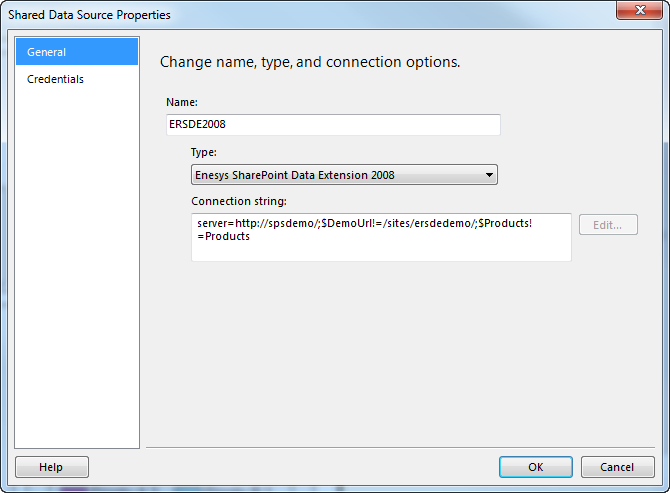
Data source variables can be used to specify a site’s relative URL ( relativeSiteUrl attribute) and list’s title ( title attribute) within a query.
What problem does it solve?
Section titled “What problem does it solve?”The idea behind this feature is that you can have a complete set of reports that rely on a variable rather than on the literal relative site URL. If you need to run your reports on another server that would not use the same site hierarchy, you just have to use another data source with the variable properly configured for your different server without having to change the various URL in each statement and in each report.
For more information, see the “ Data_source_and_dataset ” chapter.
Site filtering when rolling up items
Section titled “Site filtering when rolling up items”It is now possible to filter the sites that will be used to roll up list’s data within a site collection.
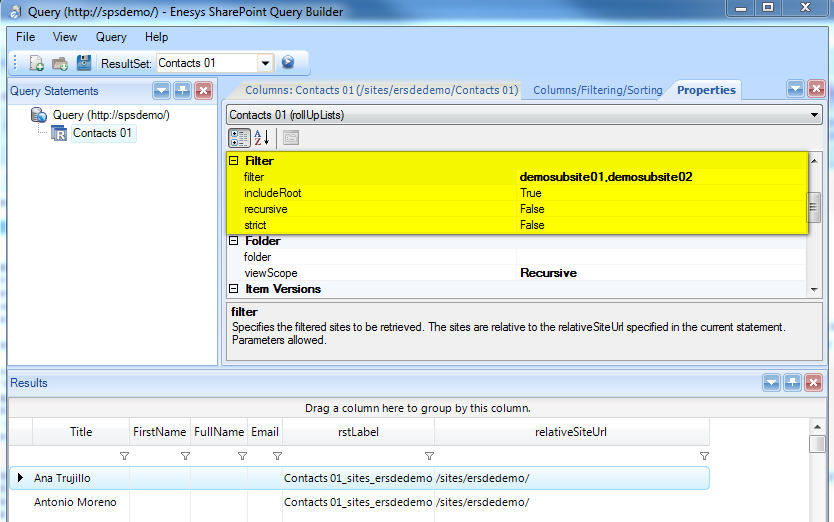
This new feature will come in handy for those who have one site per project and that only want to rollup data for specific projects.
Until now the only solution to filter out specific sites was to use a SqlQuery statement afterward. By using this new feature you will experience a huge performance improvement when only a few sites need to be roll up.
Our tests show a 500% performance improvement when rolling up items from 5 sites out of 100 using the new filtering approach.
For more information, see “ ESQD_Filtering_the_sites ” and “
ESQ_Filter_Element chapters.
Support for custom Lookup fields
Section titled “Support for custom Lookup fields”Custom fields extending SPFieldLookup fields are now managed as Lookup (or LookupMulti if the field can have multiple values) fields.
RollUpLists performance improvements
Section titled “RollUpLists performance improvements”In order to improve performance when rolling up numerous sites, we are using a new approach for enumerating sites in a site collection. This new approach will take only one call to get all sites in the site collection instead of one call per site for enumerating sub-sites. In order to benefit from this approach, you will need to specify a SPLogin account that has admin permissions over the entire site collection. This approach will not make much difference with a few sites. However, for 50 sites and more, you should notice an interesting performance improvement.
Our tests show an average 30% improvement when rolling up items within a site collection having 100 sites.
We have also re-factored the whole approach for merging lists that will increase performance by an average or 15% when rolling up large lists.
Query Builder improvements
Section titled “Query Builder improvements”Query Builder supports the new 3.2 features (global variables…), and benefits:
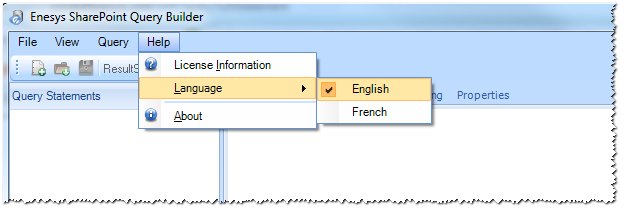
- Query builder is now available in English and French (more languages will come soon). You can easily change the User Interface language by selecting “Language” in the “Help” menu.
- A new Grid view is available for previewing the result of your query. This Grid view provides advanced features like sorting, grouping, filtering, …
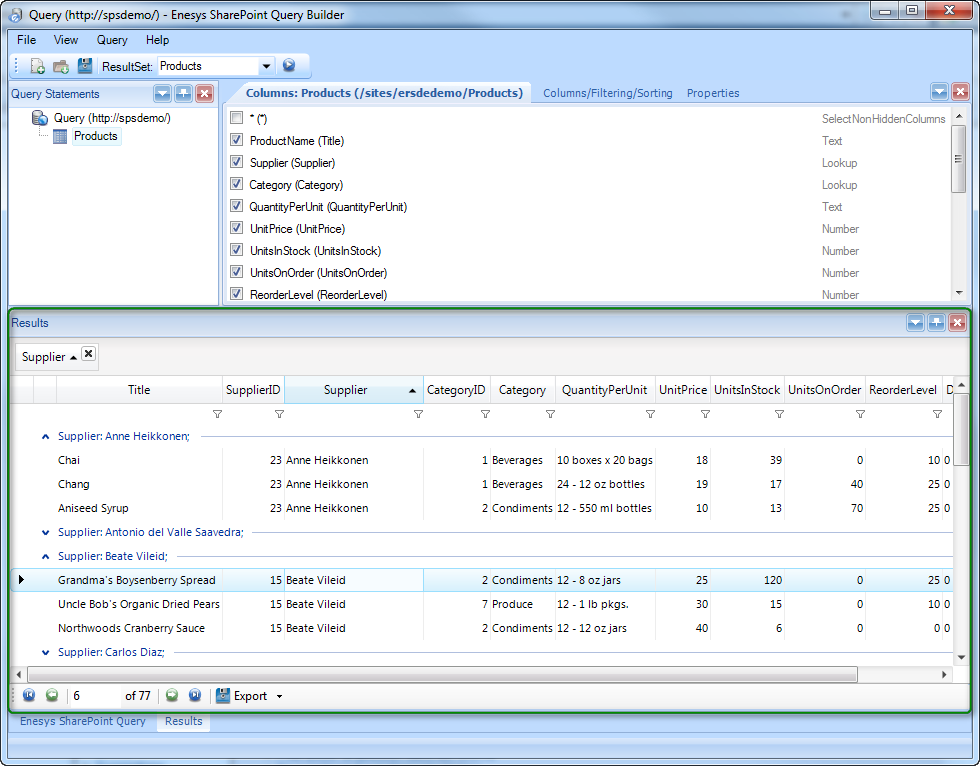
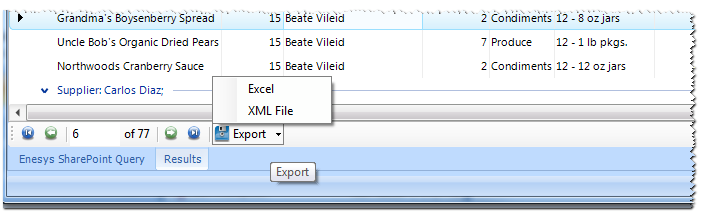
- The results can be exported to Excel (Exporting is not available in Evaluation mode)
- When specifying a query condition for a list, it is now possible to select between hidden and non hidden SharePoint columns. Considering you will filter on non-hidden SharePoint columns, this new approach should make the selection more comfortable. In previous version, all columns were displayed in the same window.
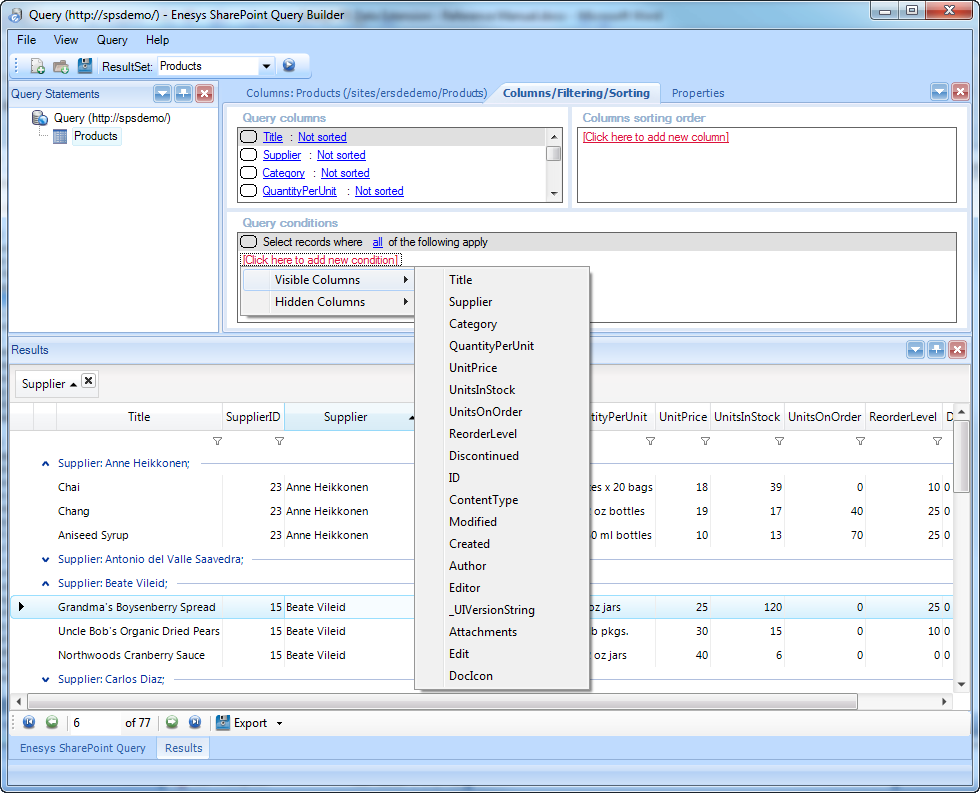
- Any columns can be selected for sorting in the Columns/Filtering/Sorting tab. In previous versions, only selected columns could be used for sorting.
- Support for parameters in the relativeSiteUrl attribute
- Support for data source variables in the title and relativeSiteUrl attributes
- The layout can be reset