Version 3.6
Reporting on Survey lists
Section titled “Reporting on Survey lists”Enesys RS Data Extension offers a new statement that lets you retrieve Survey lists data in a format that is much easier for building reports. We are also offering a ready-made generic report that can be used with any Survey list.
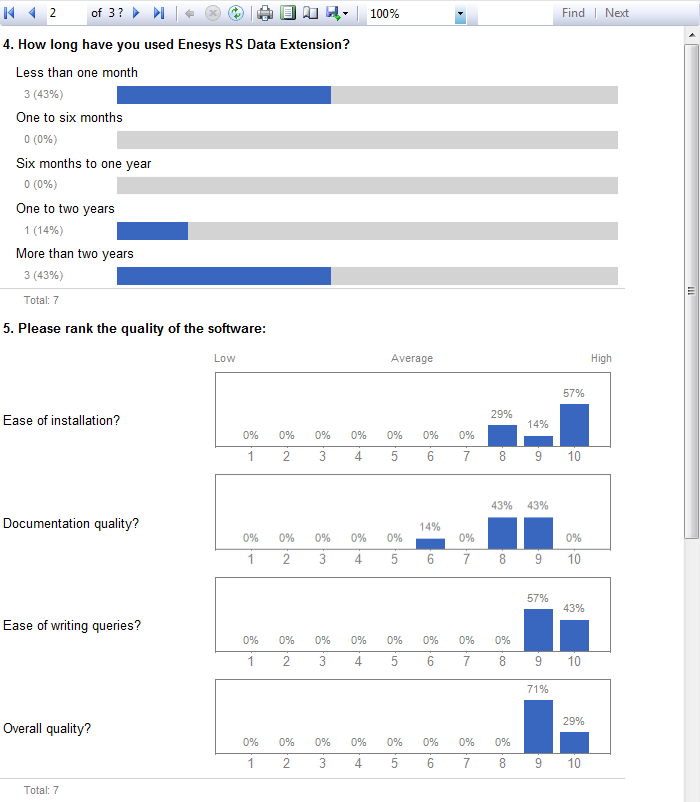
For more information about reporting on survey lists, see the associated
knowledge base articles on our web site, and see the “
ESQ_Survey_statement ” chapter.
Querying Oracle databases
Section titled “Querying Oracle databases”Starting from the version 3.4, the sqlServerQuery statement allowed you to retrieve data from any SQL Server database. In this new version of Enesys RS Data Extension , the sqlServerQuery statement is renamed to sqlData and is extended by adding support for Oracle databases.
The behavior is similar, you just have to select between SQL Server and Oracle when you create the statement:
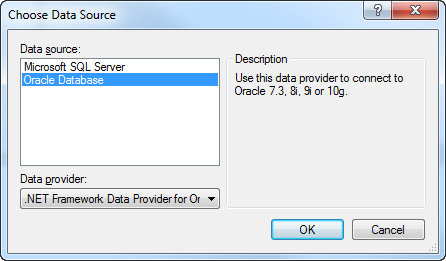
Then, enter the connection string properties:
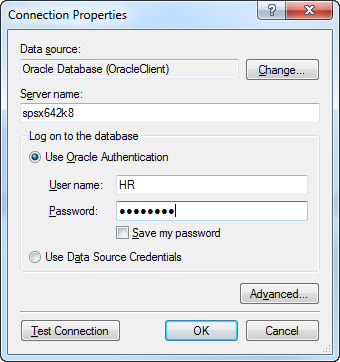
You can now query the database:
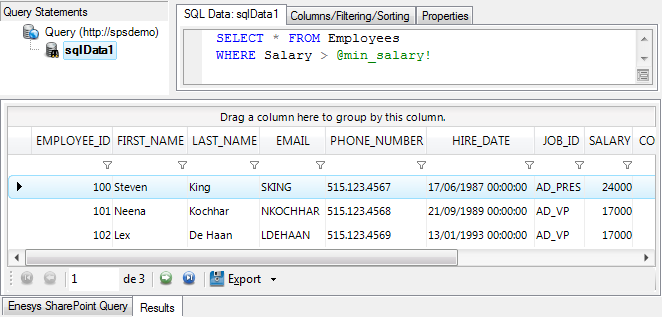
For more information, see the
“ESQD_Joining_SharePoint_lists_and_external_SQL_data” chapter , and
the “ESQ_sqlData_statement” chapter.
Note
Please note that the existing sqlServerQuery statements are still valid and are converted under the hood into sqlData statements, so that you don’t have to change anything when upgrading to v3.6.
Query Designer - Great Intellisense improvements
Section titled “Query Designer - Great Intellisense improvements”SqlQuery statement is central to Enesys RS Data Extension innovative approach to build sophisticated queries. In this version, we have made several improvements regarding the Intellisense features.
Extended Statement Support
Section titled “Extended Statement Support”With the previous versions, only the statement name was provided for sqlData , xmlQuery and sqlQuery statements, you still had to write the field names without any support from intellisense.
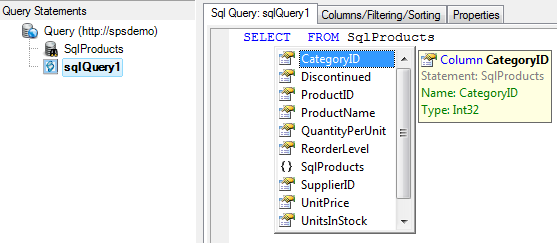
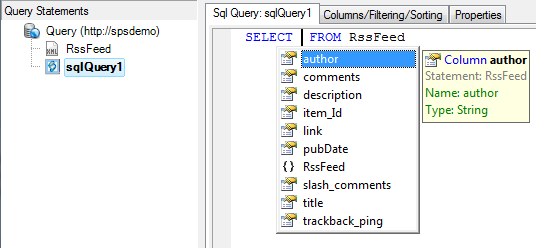
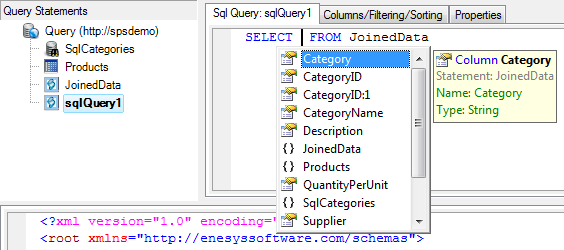
In this version, Intellisense is now provided for fields resulting from any statement:
- For example, a database queried using the sqlData statement:
- Or a RSS feed queried using the xmlQuery statement:
- After having joined SQL Server and SharePoint data using a sqlQuery statement, you can use Intellisense inside a second sqlQuery statement:
SQL Functions support
Section titled “SQL Functions support”SQLite functions are listed along with their associated parameters and a brief description:
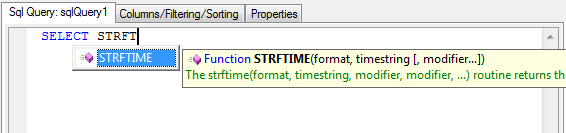
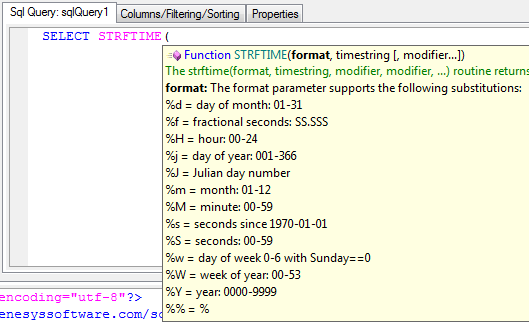
Parameter description is available when editing a function:
Better Contextual Support
Section titled “Better Contextual Support”Real time query parsing has been much improved in order to provide contextual intellisense support:
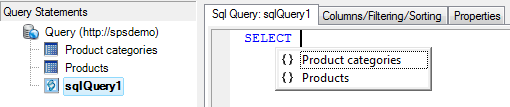
- No statement is selected, the fields are not available:
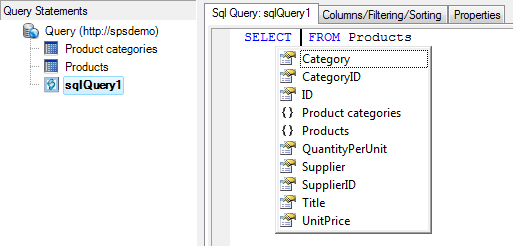
- Only the Products statement is selected, only its fields are available:
- Both statements are joined, all the fields are available:
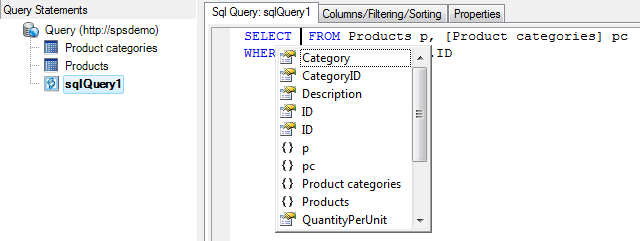
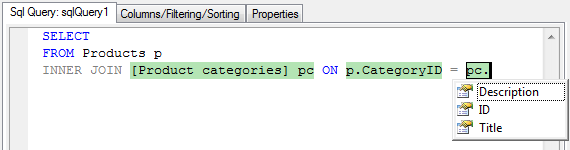
- Support for table aliases:
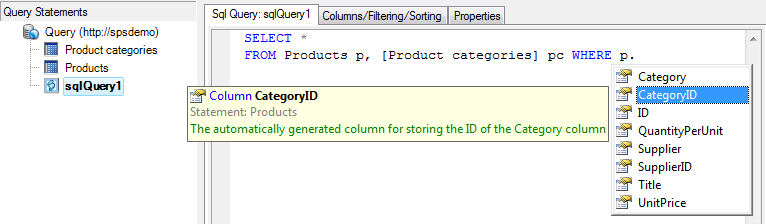
The “p” name is detected as an alias of the “Products” table; therefore, fields from the Products table are available.
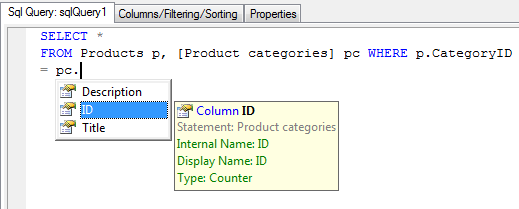
“pc” is recognized as an alias of the “Product categories” table, its fields are available.
SELECT and JOIN Snippets
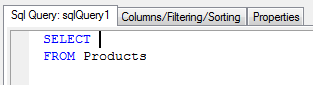
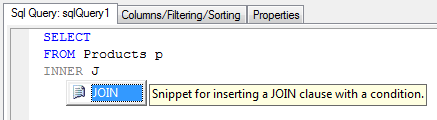
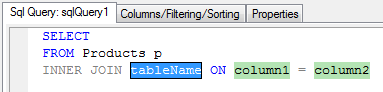
Section titled “SELECT and JOIN Snippets”Two “code snippets” were added for quickly adding SQL clauses:
- A “SELECT” code snippet for inserting a SELECT clause with a FROM clause that selects a single statement:
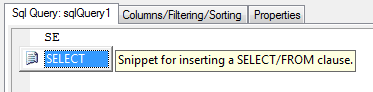
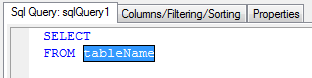
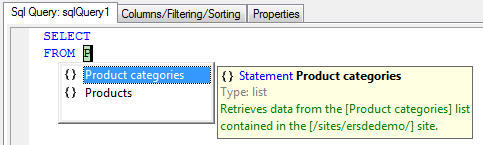
- A “JOIN” snippet for inserting a JOIN clause:
For more information on Intellisense usage, please see the
“ESQD_Using_Intellisense_inside_sqlQuery_statements” chapter.
Using parameters and variables for specifying SharePoint List URL and title
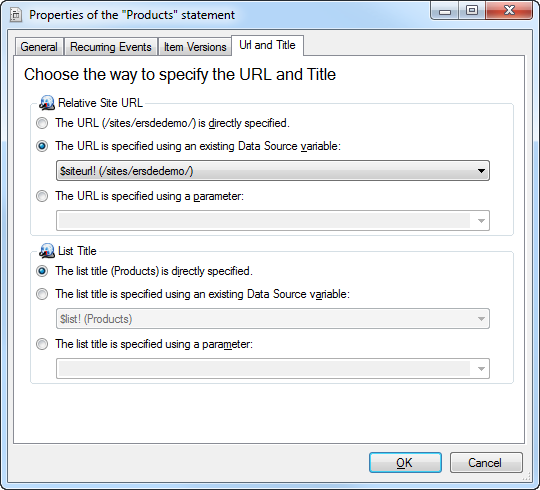
Section titled “Using parameters and variables for specifying SharePoint List URL and title”The Properties form of list , survey , mergeLists and rollUpLists statements now has a “Url and Title” tab that allows you to easily change the way you specify the list title and its relative site URL:
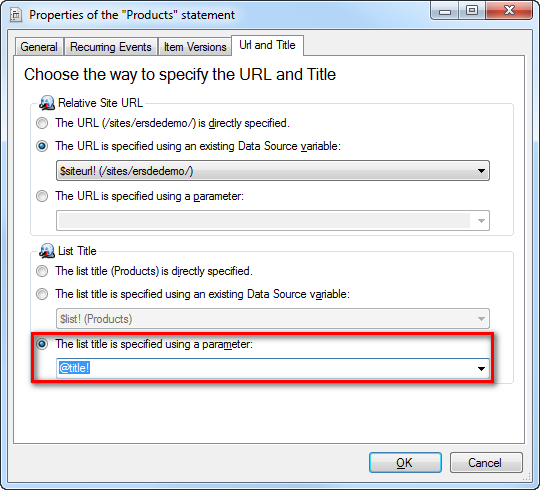
When specifying a parameter, the value is specified into the “DefaultParameterValues” query option:
The query now has an options statement with the value specified:
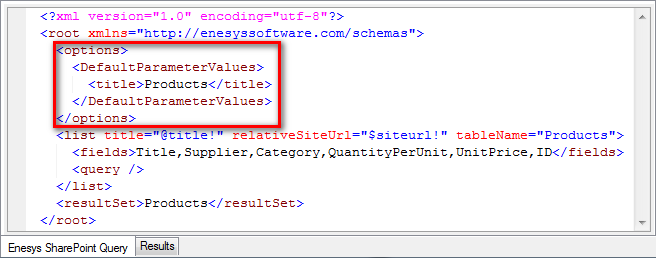
When Reporting Services will retrieve the list schema, it will use this default value, so that you don’t get prompted for specifying the parameter values each time you edit the query.
For more information, see the “ Using_data_source_variables ” chapter.
And for more information about the options node, see the
“ESQ_Options_statement” chapter.
Query Designer – User Interface Improvements
Section titled “Query Designer – User Interface Improvements”The version 3.6 includes some improvements regarding the User Interface that will enhance your query design experience.
Adding a list statement
Section titled “Adding a list statement”The dialog box for selecting a list has been completely revamped as shown in the following screenshot:
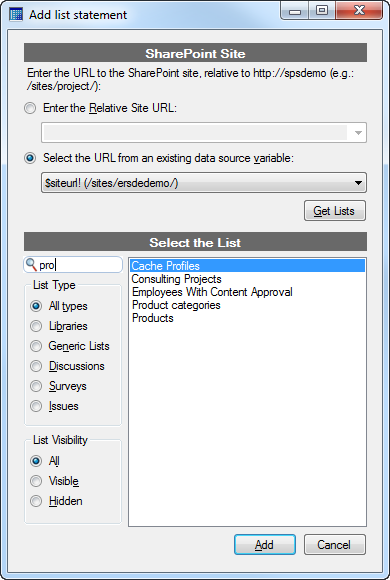
Key improvements:
- Using a data source variable for specifying the relative site URL
- Filtering lists by name, type and visibility
Adding a rollUpLists statement
Section titled “Adding a rollUpLists statement”Similarly to the “Add list statement” dialog box, the “Add rollUpLists statement” dialog box was revamped:
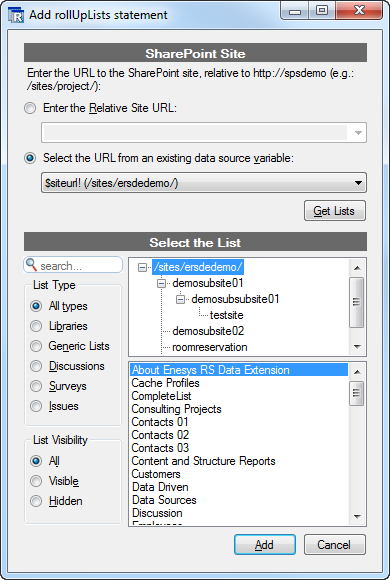
Key improvements:
- Improved performances by limiting the data retrieved from SharePoint
- “ On-demand” retrieval of the sub-sites lists
- Using a data source variable for specifying the relative site URL
- Filtering lists by name, type and visibility
Selecting columns
Section titled “Selecting columns”SharePoint lists may have numerous columns and it may not be easy to go through every column to look for a specific column. We have added some options to the “Columns” tab, as you can see on the following screenshot:
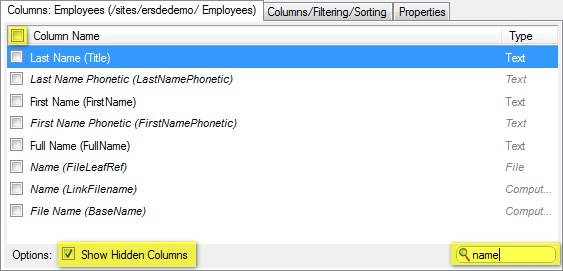
Key improvements:
- Dynamic filter of the columns based on their internal and display name.
- Show/hide the hidden columns with a single click
- Select/unselect all displayed columns with a single click
Other improvements
Section titled “Other improvements”- The aListPermissions and aSitePermissions statements now use the correct enumeration for the permissions.
- Improved Null parameter value handling within CAML queries:
- Eq operator is transformed to IsNull if the parameter value is null.
- Neq operator is transformed to IsNotNull if the parameter value is null.
- Null parameter values are properly handled inside sqlData (previously named sqlServerQuery ) statements.
- Parameters may now be used inside the title attribute of the list , mergeLists and rollUpLists statements. This allows you to dynamically change the selected list at report-time, granted that lists have the same selected fields.
- Corrected a bug with SharePoint 2010 that caused an error to be thrown when retrieving Item Versions for the Editor column.