Version 3.4
New “sqlServerQuery” statement
Section titled “New “sqlServerQuery” statement”Starting from version 3.1, you were able retrieve external SQL Server data by using an xmlQuery statement and a custom ASPX page. We have simplified this process by adding a new sqlServerQuery statement that allows you to retrieve data directly from any SQL Server data base.
For further information on this statement, see “ ESQ_sqlData_statement ”
and “ ESQD_Joining_SharePoint_lists_and_external_SQL_data” chapters.
New “convertBool” Connection String option
Section titled “New “convertBool” Connection String option”In previous versions, SharePoint Boolean fields were retrieved as string column with a value of 0 or 1.
A new “convertBool” option is now configurable through the Connection String in order to retrieve SharePoint Boolean fields as Boolean data.
Example:
Data Source=http://spsdemo;convertBool=true;
For compatibility reason, the default value of this option is “false”.
Intellisense when editing a SqlQuery statement
Section titled “Intellisense when editing a SqlQuery statement”When joining two SharePoint lists, you will usually come up with a query that contains three statements. Two list statements used to retrieve data from your SharePoint lists and a sqlQuery statement that will contain an SQL SELECT clause for joining the two SharePoint lists.
In previous versions, you don’t have much help when writing the SELECT clause. For simple joins, that may not really be a concern, but for more complex SELECT clauses, writing down the field and list names may be a more tedious task.
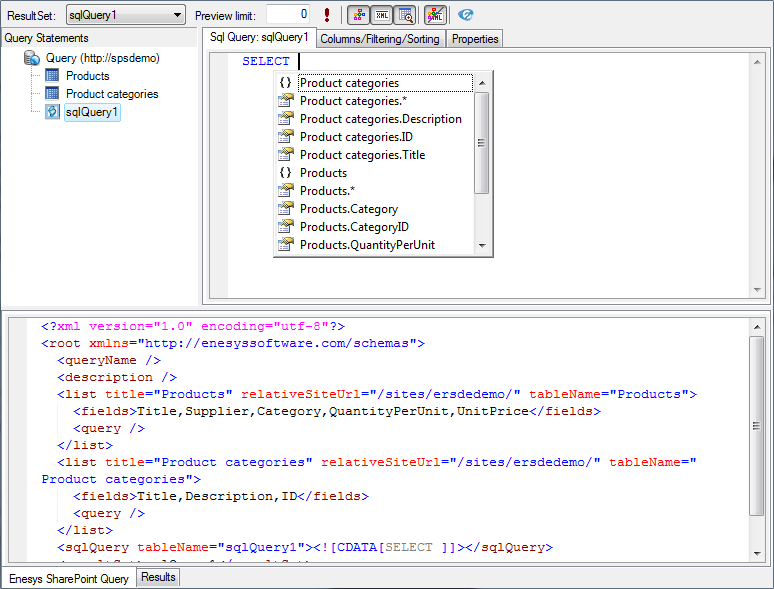
This version provides basic Intellisense features that will make it unnecessary to look around for column names.
Limiting the number of items returned when designing a query
Section titled “Limiting the number of items returned when designing a query”When dealing with very large lists, it may be painful to retrieve all the items when executing your query within the Query Designer just to ensure that the query is correct. A new “Preview limit” option is now available to limit the number of items returned when executing your query within the Query Designer.

Note that limit is applied to each list / mergeLists or rollUpLists statements inside the query, therefore, limiting the data returned by each statement. The total number of items may be somewhat different depending of if you are using an additional SqlQuery statement for joining lists for instance.
Setting the preview limit to 0 will return all items.
Support for BIDS 2008 R2
Section titled “Support for BIDS 2008 R2”Some modifications of the query designer platform inside Business Intelligence Development Studio 2008 R2 prevented the use of our Query Designer. You would end up with a “ SplitterDistance must be between Panel1MinSize and Width – Panel2MinSize ” error message, and the toolbar buttons were invisible.
Other modifications
Section titled “Other modifications”- The server and client configurations are now deleted when uninstalling the product via Add/Remove Programs. In previous versions, you had to use the configuration tools to uninstall the configurations before uninstalling the software to do a clean uninstall.
- Fixed a problem in the NLog file that caused UTF-8 characters not to be shown correctly.
- Fixed a bug in the Query Designer that caused the “Query Statements” panel’s theme not to be loaded properly.
- Fixed a bug within the Server Configuration tool that caused the program to crash when SQL Server instances/installations had been installed and removed.
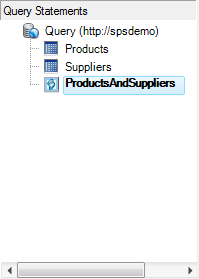
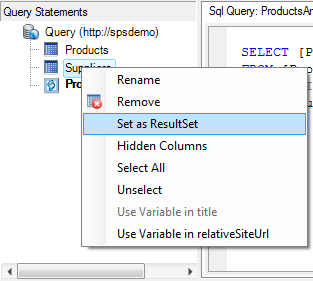
- In order to fit in the maximum toolbar width imposed by Microsoft inside BIDS 2008 R2, the ResultSet selection was moved from the toolbar to the contextual menus of each statement. The current ResultSet is displayed as bold: