Version 3.8
Merging lists enumerated in a result set
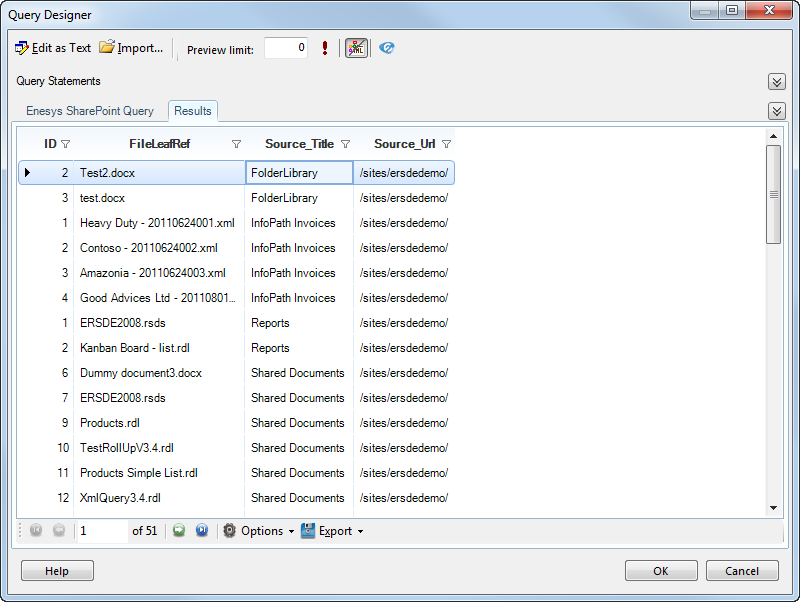
Section titled “Merging lists enumerated in a result set”Enesys RS Data Extension offers a brand new statement that allows you to merges the results of several SharePoint lists enumerated in a result set.
This result set can be any other statement, as long as it returns a list of title/relativeSiteUrl couples (e.g.: the aListCollection statement).
For example, this allows you to merge all the documents from a whole site, or even site collection.
For more information about the listsMerge statement, please see the “
Merging_a_variable_number_of_lists ” chapter.
Improved XmlQuery statement
Section titled “Improved XmlQuery statement”Enesys RS Data Extension now has an improved version of the XmlQuery statement.
With previous versions, you were bound to use an XPath formula to specify the data you wanted to retrieve from the file. While this is satisfying most of the time, you may need to retrieve repeating data along with some other data inside the file, as this is possible with the InfoPath statement.
Starting with Enesys RS Data Extension 3.8 , you can now choose between XPath and the custom ElementPath formula that is used in InfoPath statements.
This greatly improves the possibilities of the XmlQuery statement.
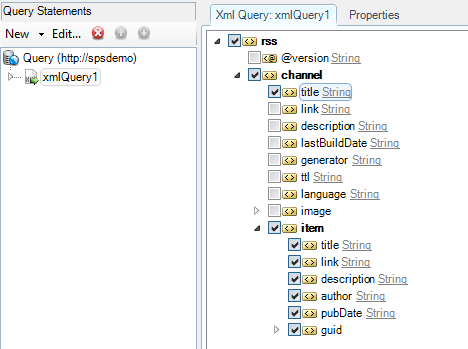
To help you build your XPath formulas, we now provide you with the XML schema (generated from the file / inline data):
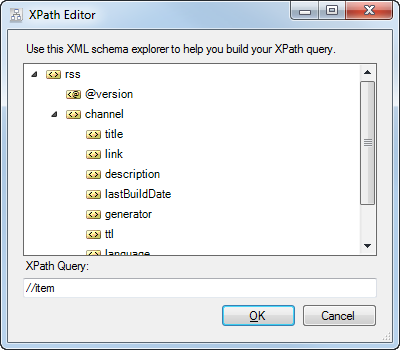
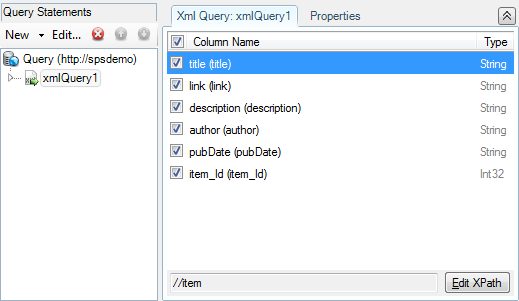
And, when using an XPath formula, you can now select the fields to retrieve:
Filtering based on a result set
Section titled “Filtering based on a result set”Enesys RS Data Extension now supports filtering list statements based on the results of another statement.
This filter is converted into a CAML query, which is applied before the data is returned from SharePoint.

This results in great performance improvements when filtering large lists.
For more information about the statement filters, please read the “
Filtering_items_based_on_another_statement_data ” chapter.
Retrieving list of choices
Section titled “Retrieving list of choices”Enesys RS Data Extension brings a brand new statement for retrieving a list of all the possible choices from any column of type Choice and derivated.
This new columnChoices statement comes handy when you need to fill the possible values for a parameter. It may also help you retrieve a string representation for some integer columns (such as WorkflowStatus columns).
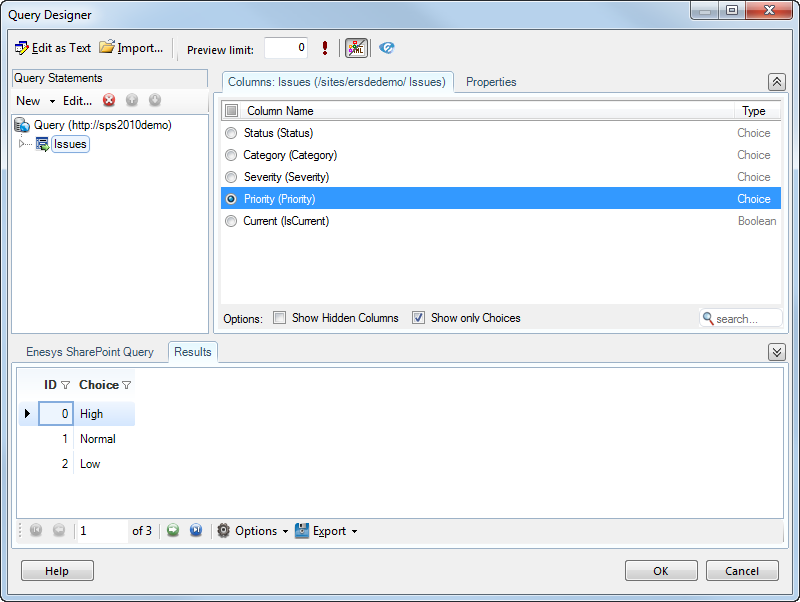
For additional information, please see the “ Retrieving_column_choices
” chapter.
Support for Reporting Services 2012
Section titled “Support for Reporting Services 2012”SQL Server 2012 was released on April 1 st and brings with it some configuration changes that required us to update our Client and Server Configuration tools, along with updating our Query Designer to use the Framework 4.0 for SSDT 2012.
Enesys RS Data Extension 3.8 is fully compatible with Reporting Services 2012.
Please note that, due to configuration changes, previous versions of Enesys RS Data Extension are not compatible and the Server Configuration tool from previous versions may crash when a Reporting Services 2012 instance is configured in SharePoint Integrated mode.
Query Designer improvements
Section titled “Query Designer improvements”Performances
Section titled “Performances”The version 3.8 of the Query Designer brings significant performance improvements, especially in the initial loading, where you can expect up to 50% performance improvements.
Renaming statements
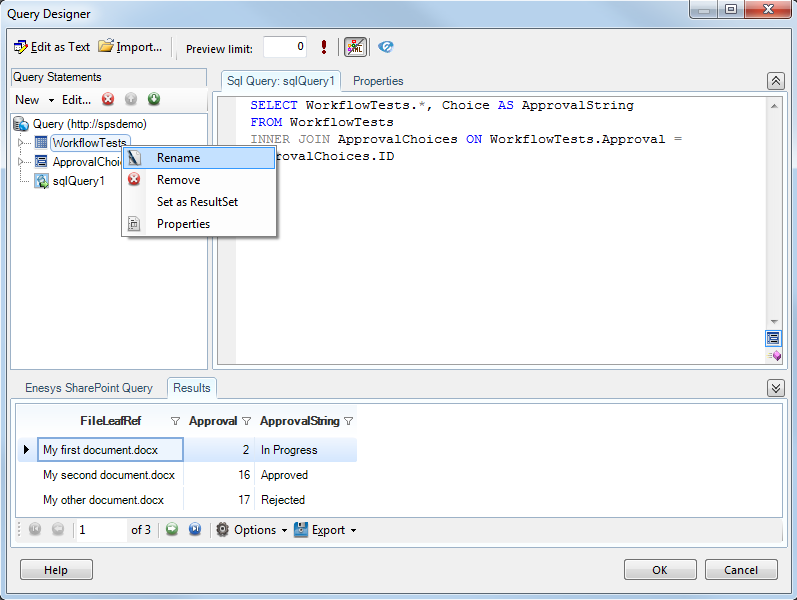
Section titled “Renaming statements”With previous versions of Enesys RS Data Extension , when renaming a statement, your query may become invalid because this statement name was used at other places (such as in a sqlQuery statement), and its usages were not modified.
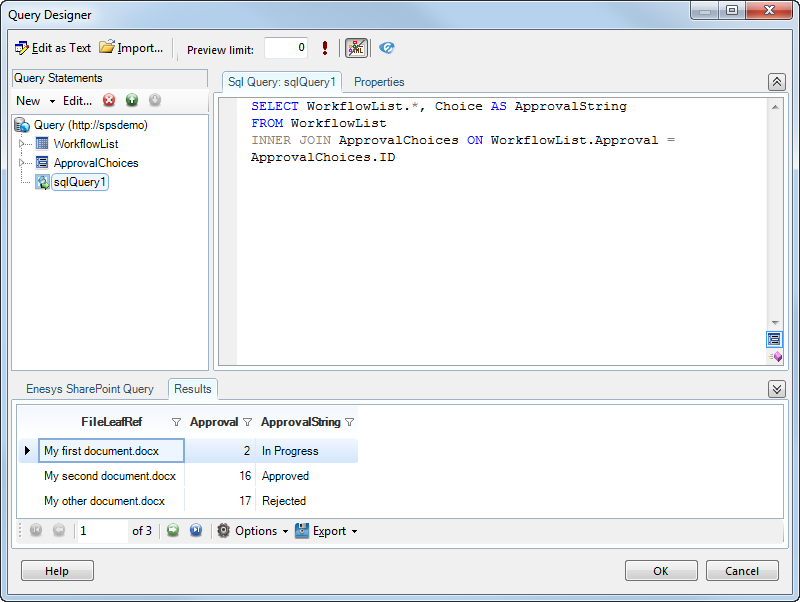
Enesys SharePoint Query Designer now renames the statement usages all over the query, including inside the sqlQuery statements.
For example, in the following query, the list statement “WorkflowTests” will be renamed to “WorkflowList”, its usages will be automatically updated inside the sqlQuery statement:
Once renamed, its usages were updated:
Advanced filter features
Section titled “Advanced filter features”The Query Designer now adds an improved version of its filter control.
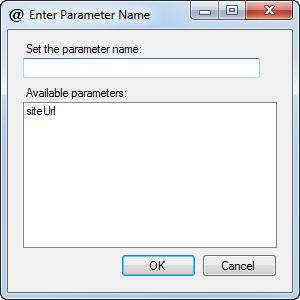
All filters now have a “ <Parameter…> ” item for easily setting a parameter value:

By clicking on the Parameter item, it displays a form for either selecting an existing parameter or entering a new parameter name:
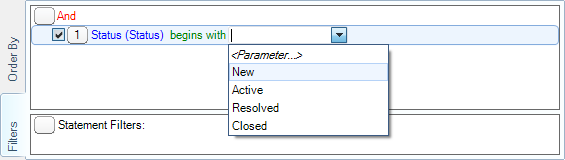
Columns of type Choices or derivated now have a list of all their possible choices so that it’s easier for you to filter on such columns.
For example with the Status column from Issues lists:
Or with WorkflowStatus columns:
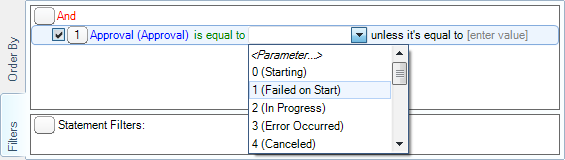
Note that such column type is “Integer”, the value that will be used for the comparison will be 0, 1, 2… Their string representation is only here for visual help.
Non-sortable & Non-filterable columns
Section titled “Non-sortable & Non-filterable columns”Some columns, such as Lookup Multi columns are not sortable, or others are non-filterable. There are no longer displayed, respectively, inside the Filter & Order By lists.
Displaying fields inside the Query Statements panel
Section titled “Displaying fields inside the Query Statements panel”Enesys SharePoint Query Designer 3.7 displayed the fields of selected fields for some statements, such as list and derivated.
Inside the version 3.8, we improved this, and the resulting schema of all statement types is now displayed inside the panel.
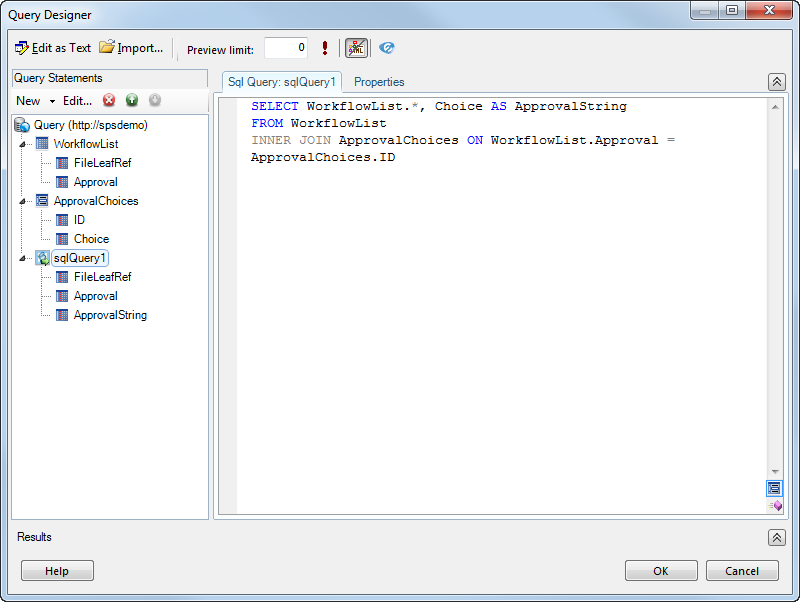
Note that to avoid refreshing the fields all the time, they are refreshed when leaving the statement.
New form for creating administrative statements
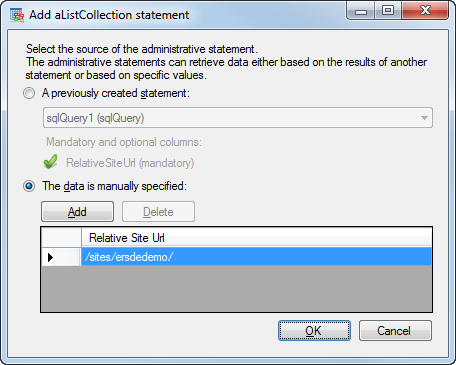
Section titled “New form for creating administrative statements”When creating administrative statements, no data was asked during the creation, and you needed to go into the Properties to specify the source of the statements. This was not necessarily clear at first sight.
Enesys SharePoint Query Designer now displays a form when adding a new administrative statement to the query:
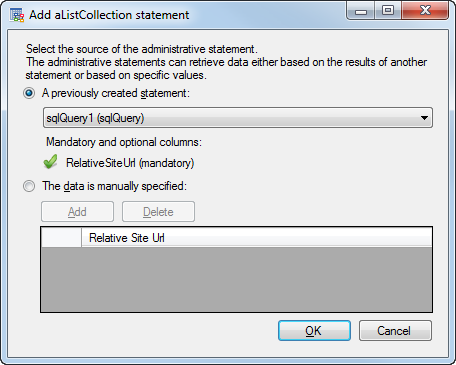
It allows you to set the source as a previously created statement, if it has the necessary columns (RelativeSiteUrl in the case of an aListCollection statement), or to manually specify the values.
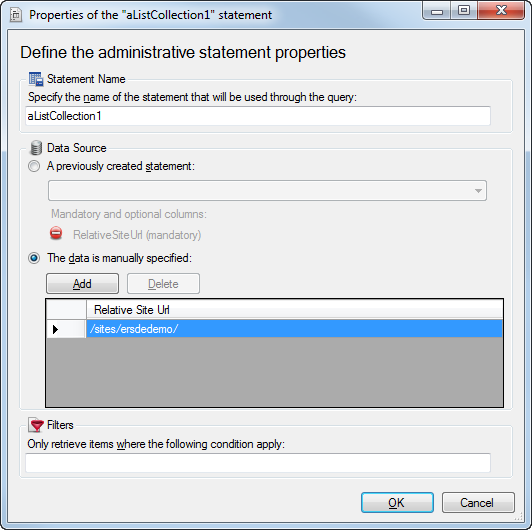
The Properties form of administrative statement was also updated to match those changes:
Other improvements
Section titled “Other improvements”- A new IncludesAll pseudo-CAML element that allows filtering a multi-values column to ensure that returned items contain all the given values.
- A new distinct option was added to list statements to apply case sensitive or case insensitive distinct on the returned data.
- Client and Server Configuration tools now support command line arguments for automatically installing/updating/… Enesys RS Data Extension from the various instances or Reporting Services or BIDS.
- Client and Server Configuration tool now adds links to Log folder for easier access.
- Server Configuration tool now supports specifying a default value for the enableObjectModel data source property.
- The Server Configuration tool doesn’t reset IIS when Enesys RS Data Extension is configured on Reporting Services 2005. A restart of the Report Server service is done instead.
- Improved <In> performances when using SharePoint 2010 by converting the pseudo-CAML In element into the new SharePoint 2010 <In> CAML element.
- Corrected a bug with the render of specific characters (such as < or >) when used in Note (“Several lines of text”) fields.