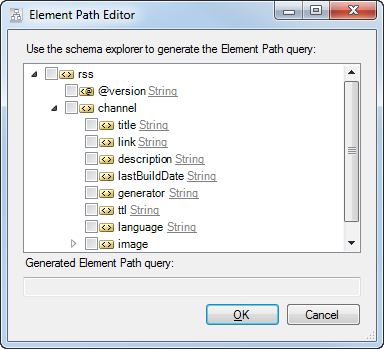
Retrieving XML Data
Enesys SharePoint Query provides an xmlQuery statement for retrieving XML data. Similarly to the other statements, you will be able to merge, join… the XML data with any other data retrieved.
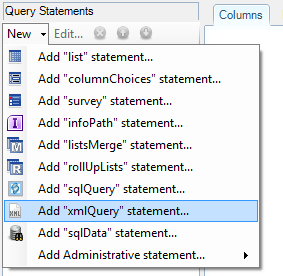
In order to query an XML file (or directly specify inline XML data), add a new XmlQuery statement:
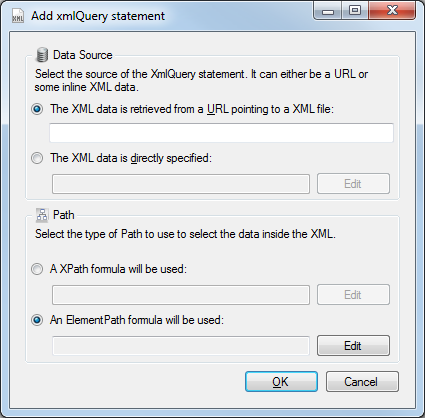
The “Add xmlQuery statement” form lets you specify the data source of your statement. You can choose between a URL and some inline XML data:
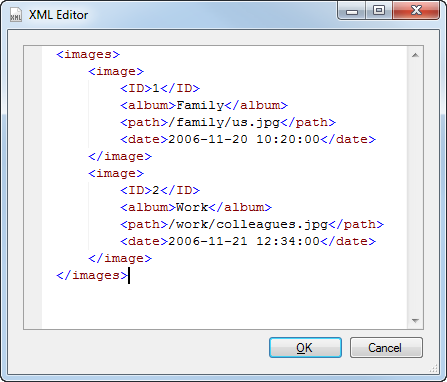
When directly entering XML data, click on the Edit button to display an XML editor:
Once your Data Source is entered, you need to specify the type of formula to use to select the data inside the XML source.
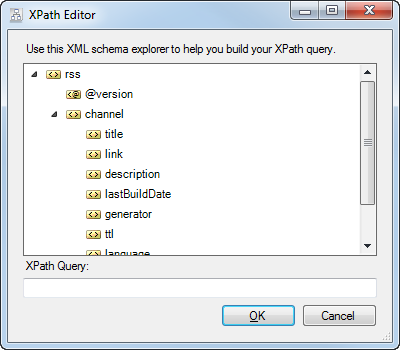
You can use an XPath formula that allows you to retrieve repeating fields. By clicking on the Edit button, a schema is generated from the XML data, to help you enter your XPath formula:
Or, you can use a custom ElementPath formula that allows you to retrieve both repeating and non-repeating fields at the same time, and also allows you to change the resulting data type: