Version 3.7
New InfoPath features
Section titled “New InfoPath features”Enesys RS Data Extension offers a brand new statement dedicated to InfoPath forms.
This statement lets you retrieve data from both InfoPath promoted and non-promoted fields:
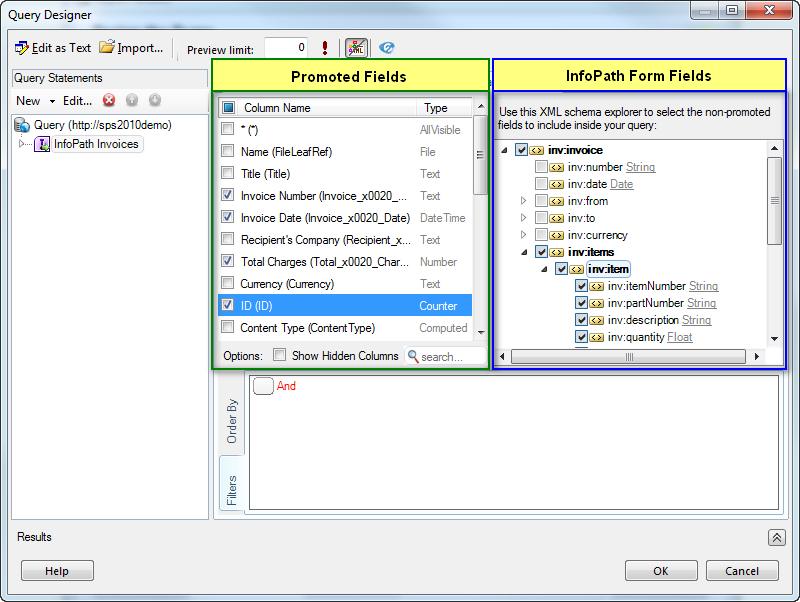
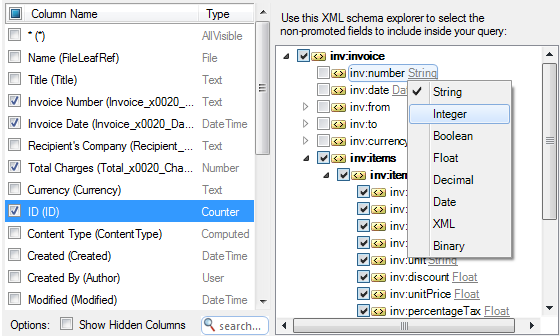
Enesys RS Data Extension returns the data using the data type specified in the InfoPath form. However, you can easily select a different data type:
You can find more information about the new InfoPath statement by
reading the “ Retrieving_data_from_InfoPath_forms ” chapter .
Using Integrated Security with Forms and Claims authentication
Section titled “Using Integrated Security with Forms and Claims authentication”When used with Reporting Services 2008R2 in SharePoint Integrated Mode, Enesys RS Data Extension 3.7 provides a second data extension (server side) that lets you use the SharePoint Token of the connected user instead of relying on passing Windows identity credentials.
This new extension (“Enesys RS Token Data Extension”) allows you to use “Integrated Security or SharePoint token” with Windows or Forms authentication and Claims based web applications, without the need to use Kerberos.
You can find more information inside the “
Data_source_credentials-Report_Server ” chapter talking about
credentials.
Item Versions Performance Boost
Section titled “Item Versions Performance Boost”If you have used Enesys RS Data Extension for building reports that deal with item version, you certainly know that this is a time consuming process. The main reason is the limitation of the SharePoint Web Services API in that specific area.
By using the Object Model, Enesys RS Data Extension v3.7 now provides dramatically improved performances when retrieving item versions in SharePoint integrated mode.
The following table provides performance comparisons between the version 3.6 and the version 3.7. Those results are based on a query that retrieves 500 items from a list, each item having 4 versions:
| VERSION 3.6 | VERSION 3.7 SHAREPOINT INTEGRATED MODE | RATIO | |
| 500 items Retrieving version from 9 fields | 03:10 | 00:18 | 10x |
| 500 items Retrieving version from 1 field | 00:38 | 00:07 | 5x |
Reference List for RollUpLists statements
Section titled “Reference List for RollUpLists statements”In previous versions of Enesys RS Data Extension , the SharePoint list used to build the target query schema was the first list available. In case all the lists you are aggregating are strictly identical, this is not an issue. But in case some of your lists have additional fields that you would like to be part of the target dataset, you will have to ensure that the first list (which is used to build the schema) has all the necessary fields. Depending on your scenario, this may not be practical to achieve.
Enesys RS Data Extension 3.7 now allows you to specify a referenceSite attribute that will contain the URL to the site containing the list used to build the schema. Similarly to the relativeSiteUrl , the referenceSite is a URL relative to the data source URL.
For more information on the specification of the referenceSite attribute
within the Query Designer, please read the “
Rolling_up_list_items_in_an_entire_site_collection ” chapter.
Query Designer Improvements
Section titled “Query Designer Improvements”Enesys RS Data Extension 3.7 brings various user interface improvements.
Intellisense
Section titled “Intellisense”- Parameters for functions that have the same name as keywords (for example the REPLACE function is also a keyword) are now properly displayed.
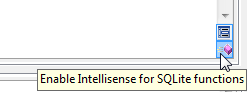
- In order to simplify field selection, Intellisense for SQLite function is now disabled by default. You can re-enable it by clicking on the appropriate button:
- Corrected a bug which prevented Intellisense for some statements when joining 3 or more statements with “ JOIN tableName ON condition ”.
New Query Statements toolbar
Section titled “New Query Statements toolbar”A new toolbar was added into the Query Statements panel to allow you to quickly manipulate the statements.
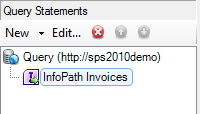
This toolbar allows you to:
- Add new statements
- Go to the Properties form of the selected statement
- Delete the selected statement
- Move up/down the selected statement inside the statement list
New Form for adding statements
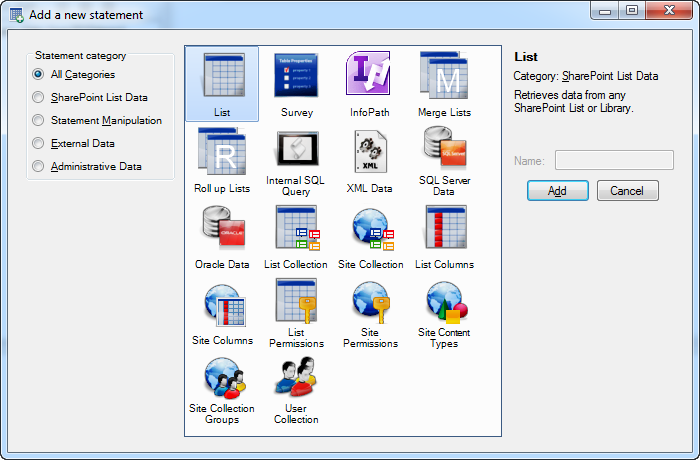
Section titled “New Form for adding statements”By clicking on the “New” menu item, a form is displayed that lists all the available statements, grouped by category:
Removed the Columns/Filtering/Sorting tab
Section titled “Removed the Columns/Filtering/Sorting tab”For simplification, the Columns/Filtering/Sorting tab was removed and all its functionalities where moved in order to be available in the main design area.
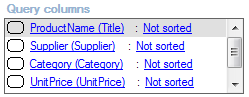
The Query columns panel was removed.
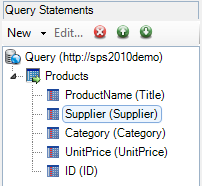
You can now reorder the fields inside the Query Statements panel (along with the possibility to delete them):
The “Columns sorting order” panel was moved into a new “Order By” tab of the Columns tab:
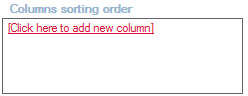
All the previous functionalities of the control are kept, and this new control offers an enhanced field selector:
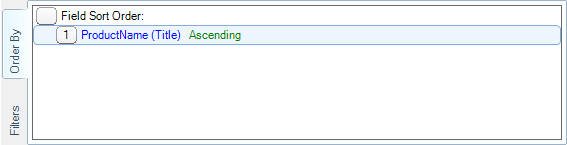
The “Query conditions” tab was moved into the new “Filters” tab of the Columns tab:
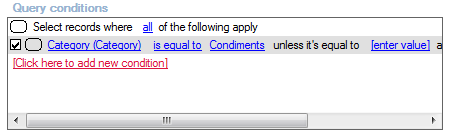
All the previous functionalities of the Query conditions panel were preserved, and some new features were added:
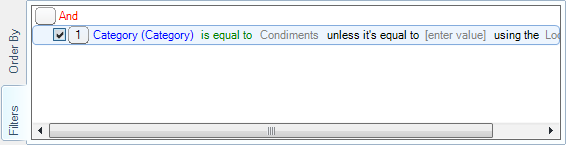
You can read more about the new filtering control inside the following chapter.
New advanced filtering control
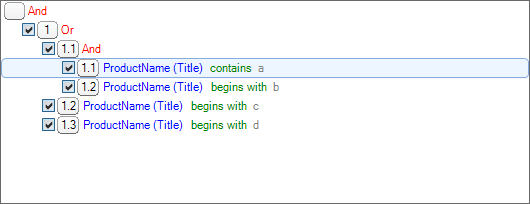
Section titled “New advanced filtering control”With previous versions of Enesys RS Data Extension , the Query Designer was using a third party filtering control. Even if this control was satisfying, it misses some important functions when writing a query. Functions that we tried to have in mind when developing our own filtering control:
Support for moving conditions/groups (up/down and left/right):
Section titled “Support for moving conditions/groups (up/down and left/right):”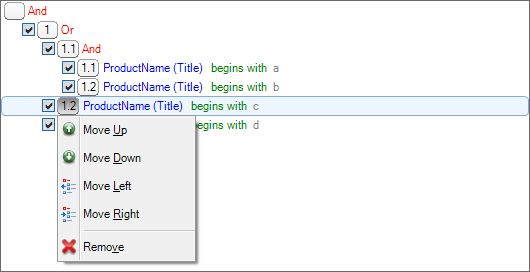
Support for adding parent groups to a specific group:
Section titled “Support for adding parent groups to a specific group:”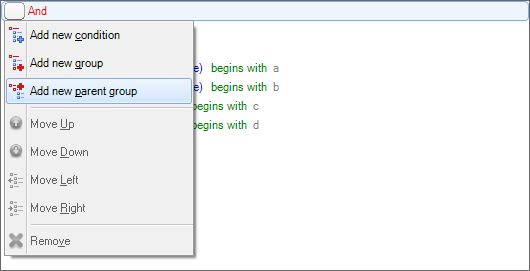
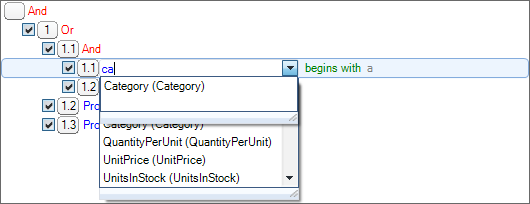
Improved field selector by using an autocomplete drop down list:
Section titled “Improved field selector by using an autocomplete drop down list:”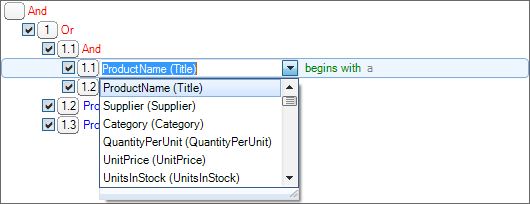
Changing the operator no longer changes the value:
Section titled “Changing the operator no longer changes the value:”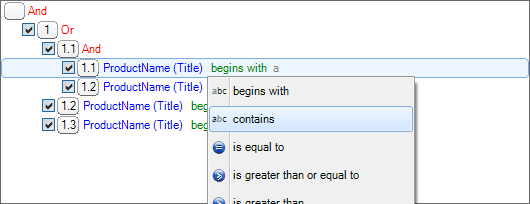
Better support for LookupId and IncludeTimeValue options:
Section titled “Better support for LookupId and IncludeTimeValue options:”

For more information on the new filtering control, please read the “
ESQD_Filtering_list_items ” chapter.
Showing/Hiding panels
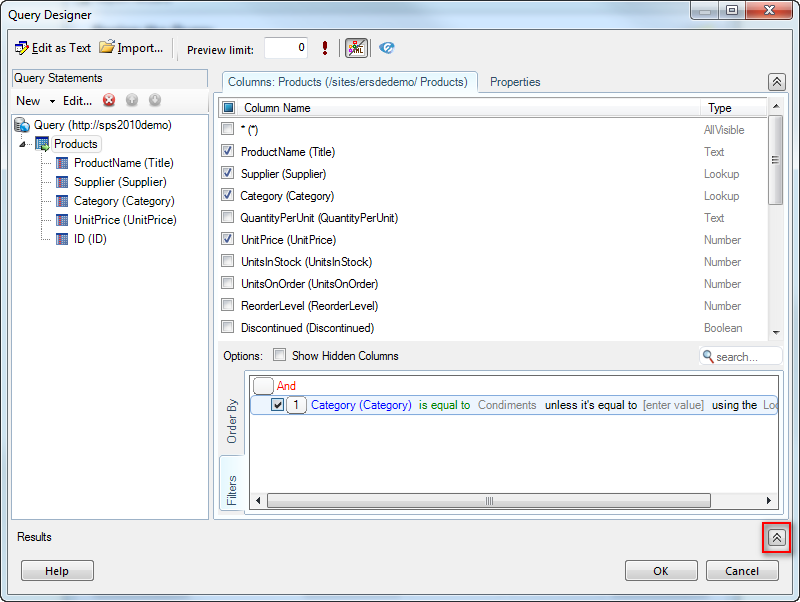
Section titled “Showing/Hiding panels”By default, the Results panel is now hidden. But you can quickly show it by clicking on the appropriate button:
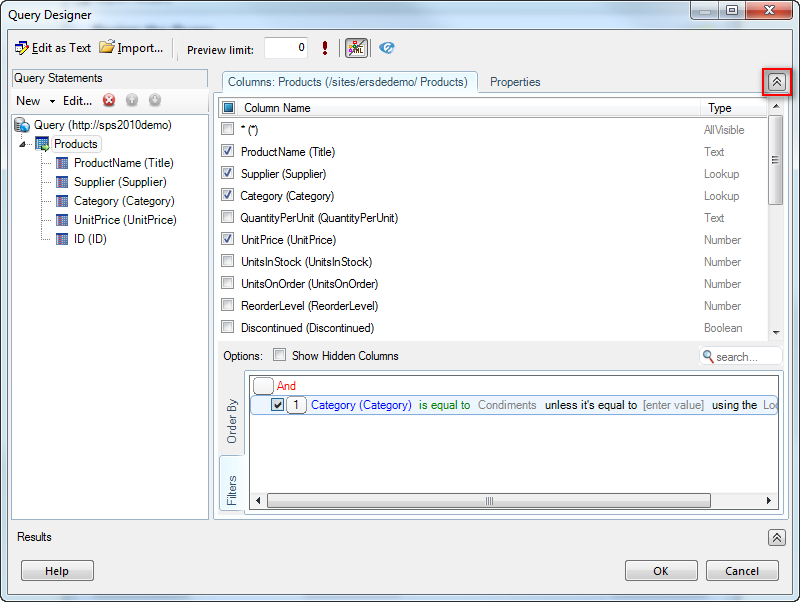
Similarly, you can quickly show/hide the statement panel by clicking on the appropriate button:
Other improvements
Section titled “Other improvements”-
Added two new SQLite collating sequences: UTF8 and UTF8CI. They bring support for UTF-8 comparisons when sorting/grouping data. The UTF8 collating function is case sensitive while the UTF8CI one is case insensitive. Usage:
SELECT foo FROM bar ORDER BY foo COLLATE UTF8
or
SELECT foo FROM bar GROUP BY foo COLLATE UTF8CI
This is useful when sorting/grouping data that has diacritics or non-Latin characters.
-
Corrected a bug which prevented to roll up data starting from a site having spaces in its URL.