Version 3.3
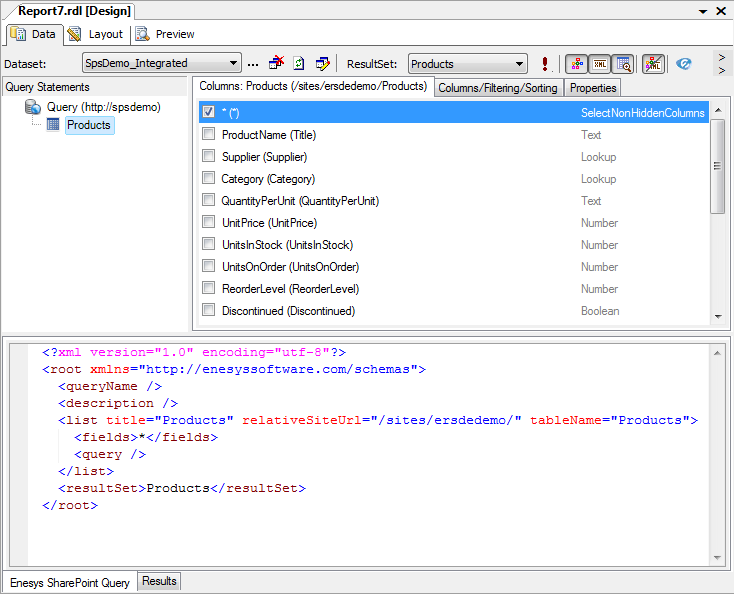
Query Builder integration inside BIDS
Section titled “Query Builder integration inside BIDS”Enesys SharePoint Query Builder is now integrated within Business Intelligence Development Studio.
This approach brings several advantages over the separate Query Builder available in previous versions:
- No need to re-enter your Data Source properties when building a query.
- No need to copy/paste/import your query from and to the Query Builder.
- Support for SPLogin credentials
You have the choice to edit your query using either a Visual Query Builder or an XML editor.
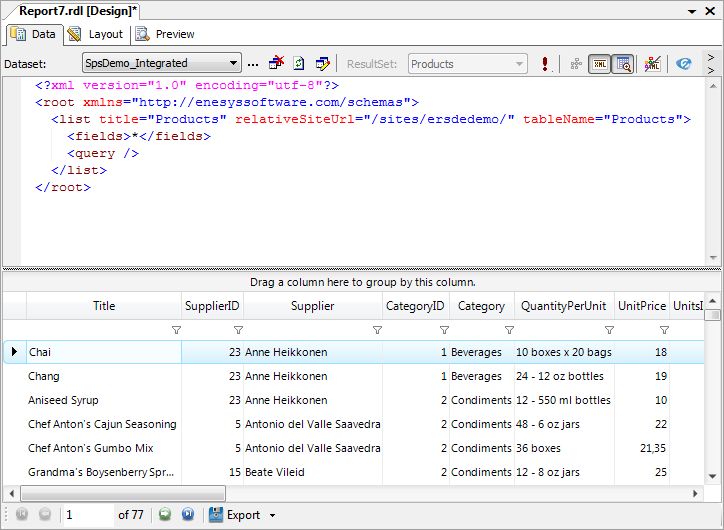
The XML Editor allows the power users to write the query without using a visual interface.
Note
Please note that some features (such as listID or customFields ) are not supported by the Visual Query Builder. Therefore, you will be forced to use the Xml Editor when using those features.
New XML editor
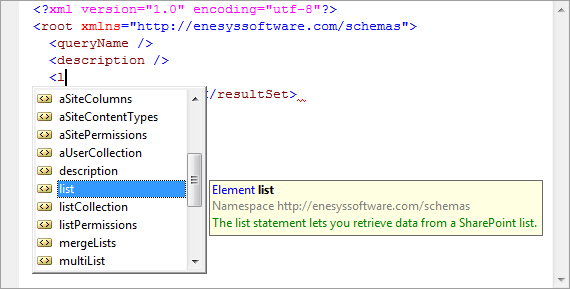
Section titled “New XML editor”When editing a query that contains syntactic elements not supported by the Visual Query Builder, you will be automatically put in XML editor mode. The XML editor provides intellisense features that simplify query editing. It is possible to toggle between Visual Query Builder and XML mode.
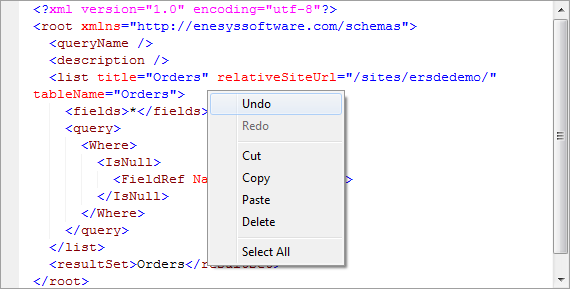
It supports Undo/Redo actions using its contextual menu:
Note
Please note that Visual Studio 2005 overrides the “Ctrl+Z” and “Ctrl+Y” behaviors of the Xml Editor, therefore, you will not be able to use those shortcuts to Undo/Redo an action and it may result in query lost. We advise you to use the contextual menu to Undo and Redo within the editor.
SQL Editor
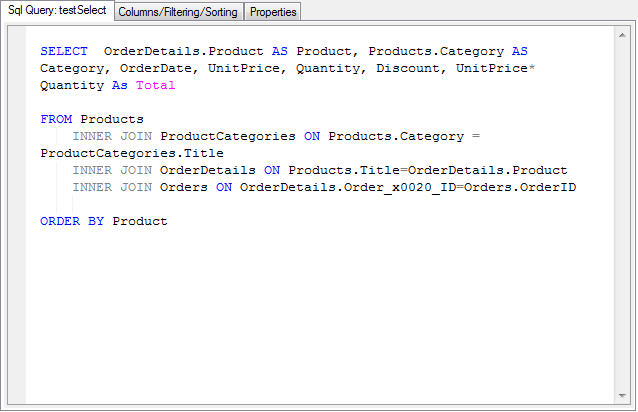
Section titled “SQL Editor”The editor available when editing a SELECT clause within a SqlQuery statement has been improved and offers Undo / Redo commands as well.
Those who are manipulating big SELECT clauses will be happy to learn that the text is not reformatted anymore each time you edit the query. Your own SQL code layout remains unchanged.
Other improvements
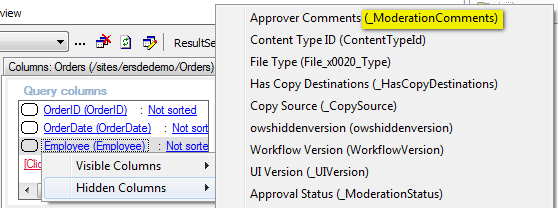
Section titled “Other improvements”The Columns/Filtering/Sorting panel displays both the internal and display names of the columns. In previous versions, the internal or display name was displayed, depending on the useDisplayName attribute’s value.
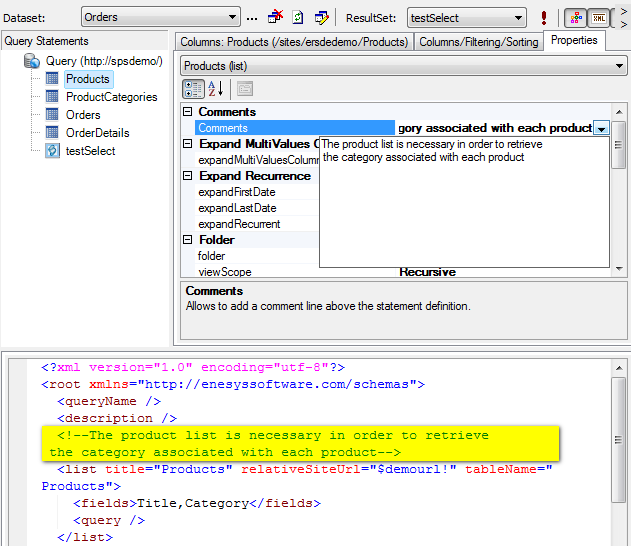
A comment can be associated with each statement. The comment is displayed as an XML comment when editing the query in XML mode.
In the Columns panel, columns can now be selected by using the “Space” key for quicker selection.