Retrieving administrative data
Starting from version 3.1, Enesys SharePoint Query (Standard and Enterprise editions only) provides specific query statements for retrieving sites and lists information such as list collection, list permissions, site permissions, etc.
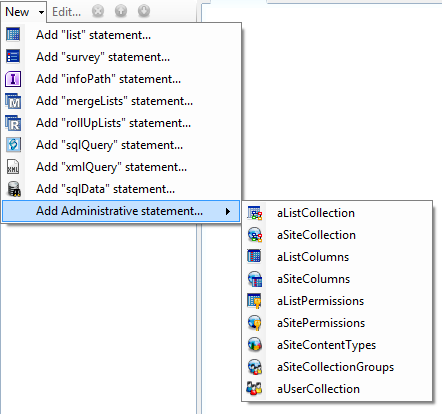
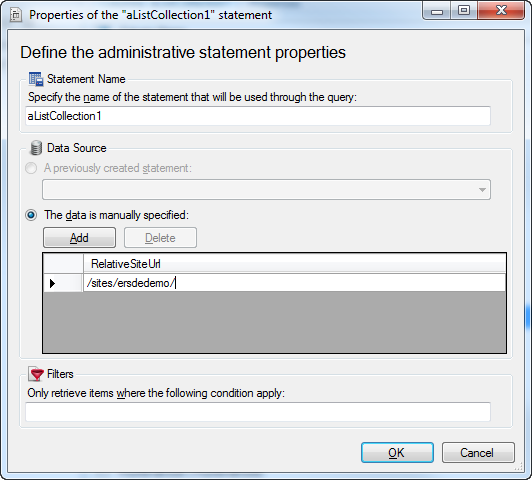
Those statement share a common approach to specify the sites or lists you are interested in using the from properties.
The following image shows an aListCollection statement which retrieves information about all lists available in the site “ /site/ersdedemo/ ”:
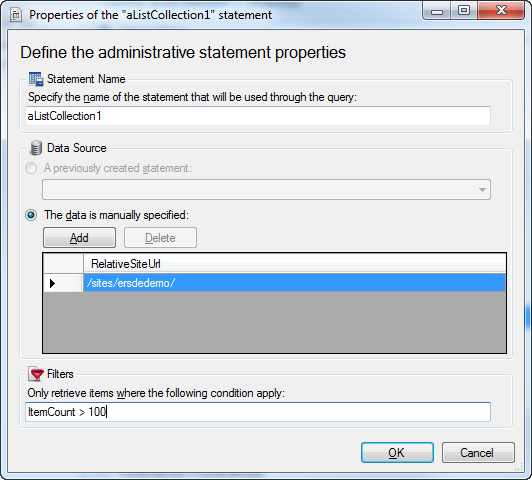
You can filter the resulting data by using the where
property. This property can contain a SQL WHERE clause:
The following table describes the various statements available in this category.
| Statement | Description |
| List collection | The aListCollection query statement lets you retrieve information about all the lists in a site or a set of sites. |
| List columns | The aListColumns query statement lets you retrieve the columns schema for one or more lists. |
| List permissions | The aListPermissions query statement lets you retrieve permissions from one or multiple lists. |
| Site collection | The aSiteCollection query statement lets you retrieve all the sites that are contained in a site collection. |
| SharePoint groups | The aSiteCollectionGroups query statement lets you retrieve all the SharePoint groups that are available in one or more site collections. |
| Site columns | The aSiteColumns query statement lets you retrieve the column definitions for each column available on the specified sites. |
| Site content types | The aSiteContentTypes query statement lets you retrieve the content type definitions for each content type available on the specified sites. |
| Site permissions | The aSitePermissions query statement lets you retrieve the permissions given at the site level for a specific site or a set of sites. |
| User collection | The aUserCollection query statement lets you retrieve the information for the specified users, and the information for the users in the specified groups. |
Using the output of a statement as an input of another statement
Section titled “Using the output of a statement as an input of another statement”Because it makes sense for instance to get list collection for all sites in a collection or list permissions for all lists in a site, it is possible to use the result of a specific statement as the input of another statement.
The following example explains how to get the list collection from all sites in a specific site collection.
You will add two administrative statements: aSiteCollection and aListCollection .
Modify the “From” property of the aSiteCollection statement in order to retrieve all sites in a specific site collection (/sites/ersdedemo/ in our example):
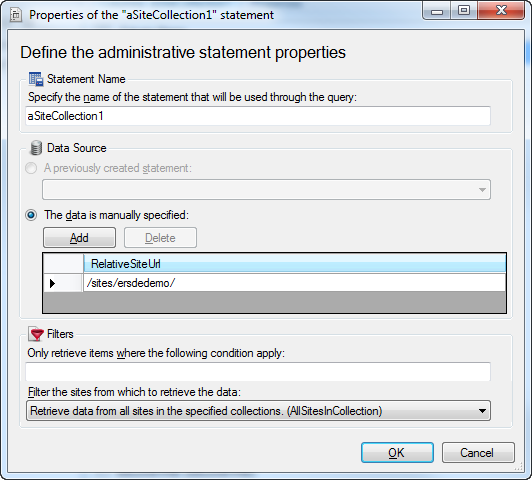
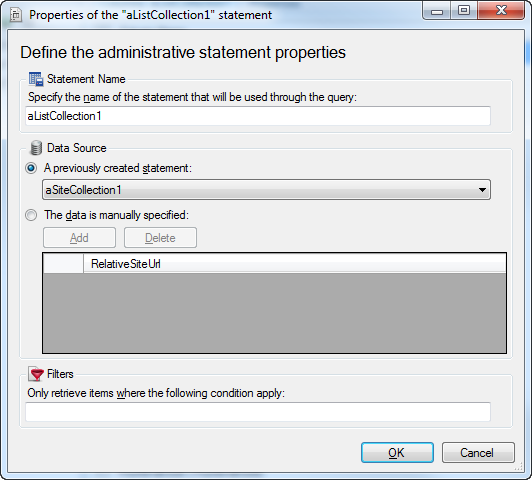
In order to retrieve information about all lists available in all sites of your site collection, you will need to specify the from type of aListCollection to “ResultSet” and then choose the name of your previous statement (aSiteCollection1) as value when type=”ResultSet” as shown in the following screenshot: