Query construction principles
Introduction
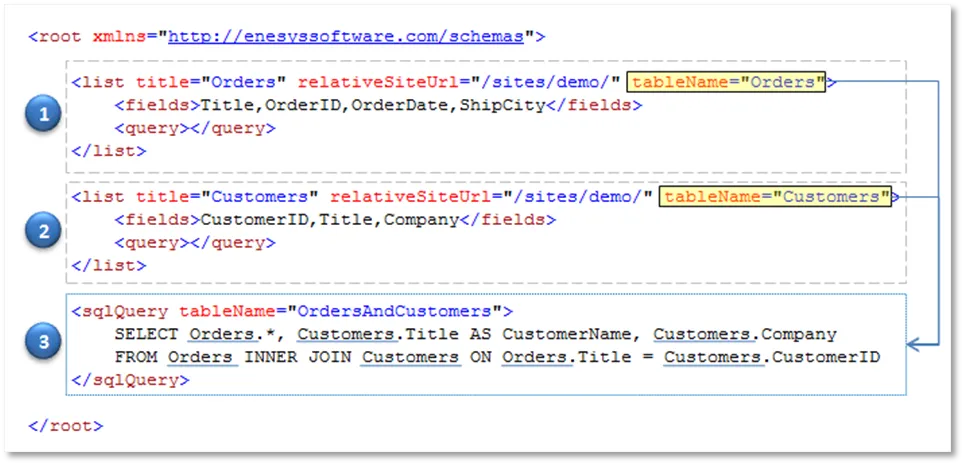
Section titled “Introduction”Enesys SharePoint Query makes it possible to retrieve and aggregate data from SharePoint lists using a specific query language based on XML. To explain the approach used in Enesys SharePoint Query language, we will use a sample query that joins two SharePoint lists (Orders and Customers) based on their CustomerID column in order to get Customer’s name and company in the resulting data:
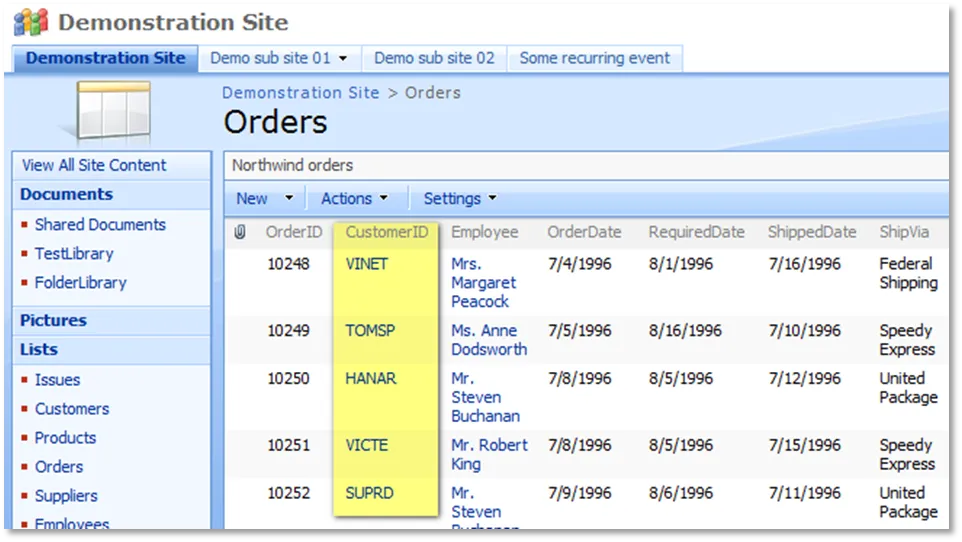
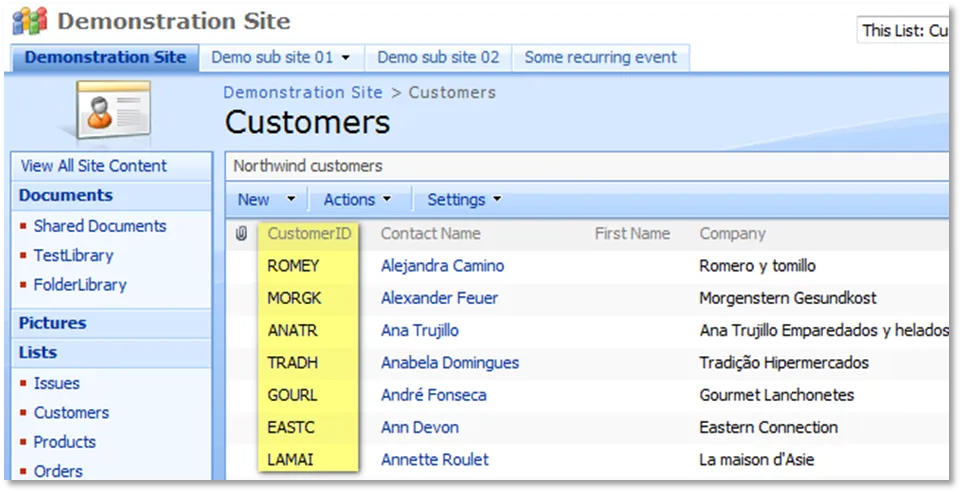
Enesys SharePoint Query
Section titled “Enesys SharePoint Query”A query is composed of several statements enclosed within a root element. Each statement is represented by an XML element. The following query is composed of 3 statements (2 list statements followed by 1 sqlQuery statement):
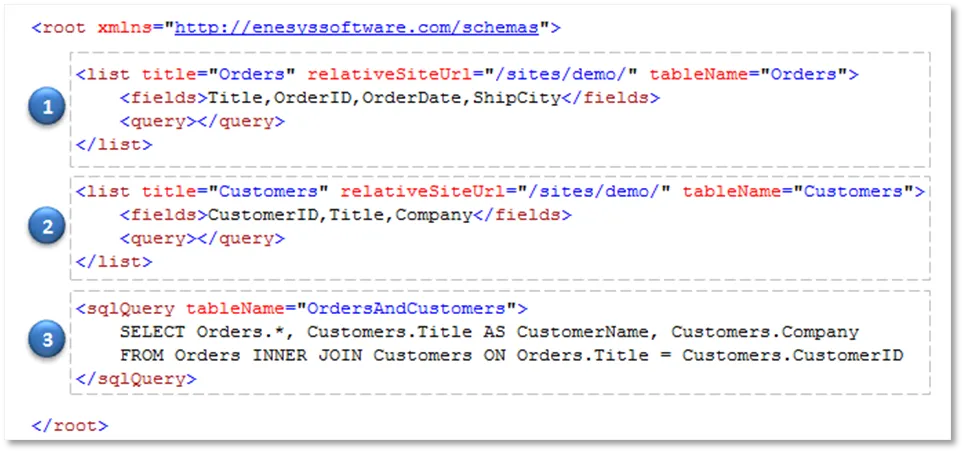
Statements are executed sequentially starting from the first statement under the root element.
Each type of statement has a specific function. For instance, the list statement retrieves data from a specific SharePoint list. The sqlQuery statement makes it possible to manipulate the resulting data from previous statements using SQL SELECT syntax.
The resulting data from each statement is stored in a temporary table so that it can be further manipulated by a sqlQuery statement. The name of the temporary table is given by the tableName attribute of each statement:
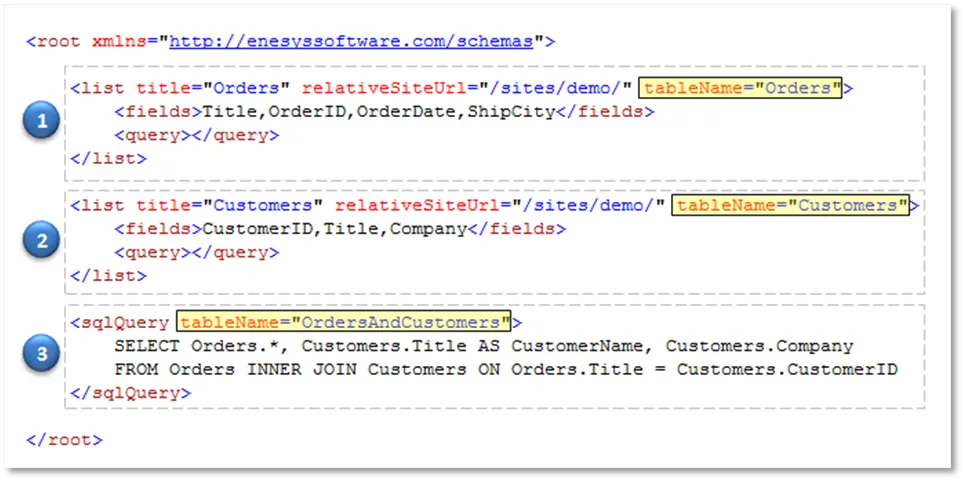
Using this approach, the sqlQuery statement in our sample query can manipulate data from both Orders and Customers lists as if they were tables. In this sample, we join both lists in order to get customer’s name and company with each order:
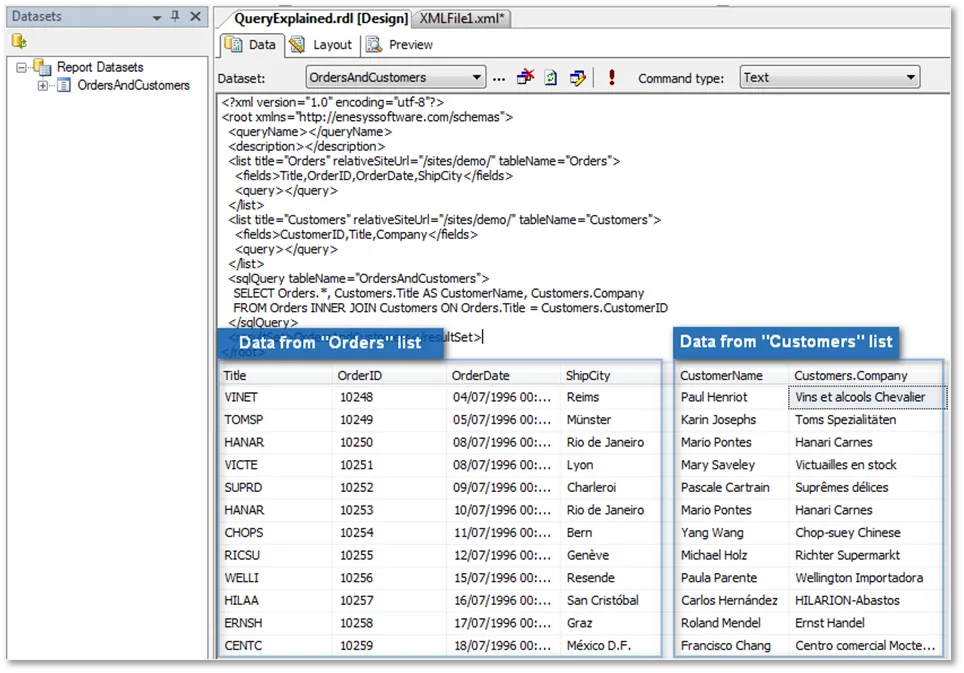
In the end, you will obtain a single dataset with data from both lists as shown in the following BIDS screen shot of the data view panel after having executed the query:
Query result
Section titled “Query result”The resulting data from the query is the resulting data from the last statement in the query. In the sample provided, the query will return the data resulting from the sqlQuery statement (third statement). The first two statements have just been used for retrieving data that could be manipulated by the third statement.
It is possible to override the default behavior and to specify that the query should return the data from a specific statement by using a resultSet element as shown in the following query that will return the result of the first list statement:
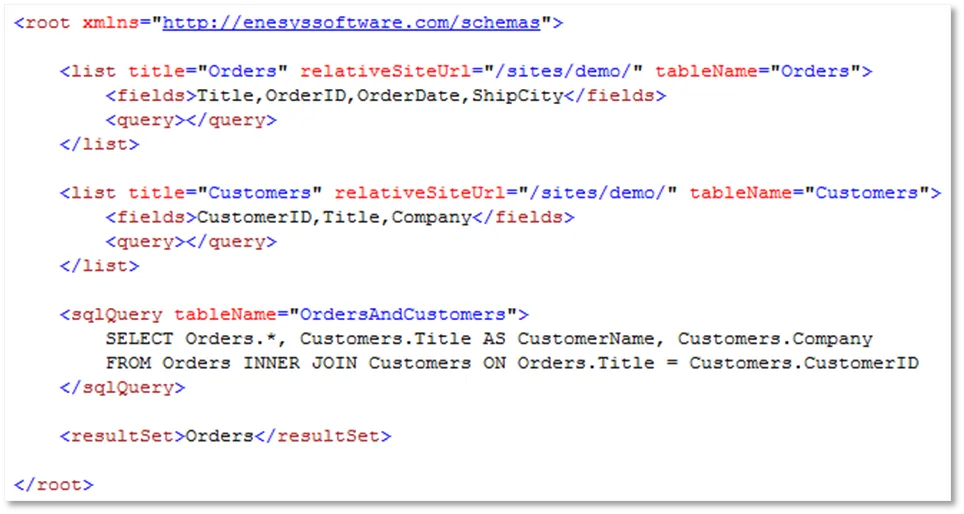
This approach may be useful for testing purposes when you would like to have a look at the data returned by a specific statement.
Using the Query Designer
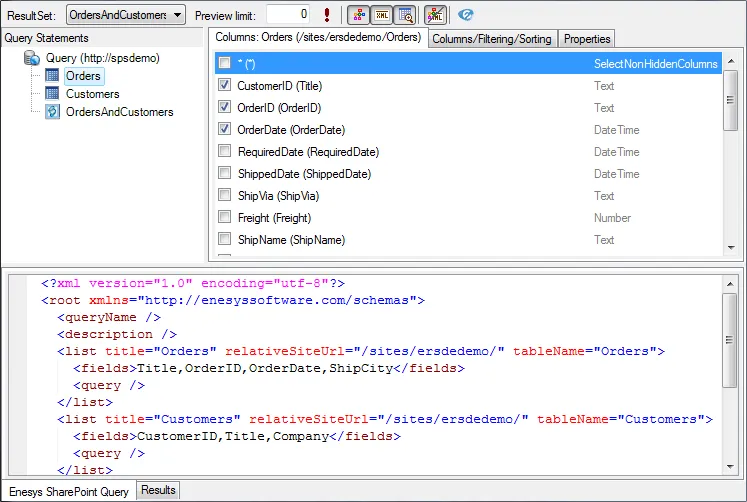
Section titled “Using the Query Designer”The concept of statements executed sequentially is also central to the query designer. However, the graphical interface makes it much easier to build the necessary query.
In the query designer:
- You will add two list statements by selecting the lists in the specified SharePoint site.
- You will check the desired columns
- You will add a sqlQuery statement.
And the query will be automatically built for you.
For more information on how to use the Query Designer, please look at the “Enesys_SharePoint_Query_Designer_Manual”.