Version 3.9
SharePoint 2013 compatibility
Section titled “SharePoint 2013 compatibility”Enesys RS Data Extension is now compatible with SharePoint 2013. It can be installed in SharePoint Integration Mode, is available as a data source type and will use SharePoint object model in that case (unless you configure it another way)
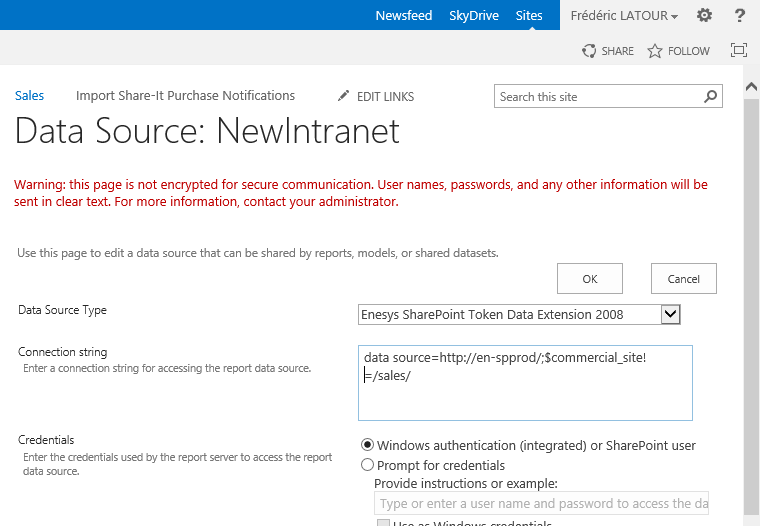
Standalone Report Server 2012 installation are compatible as well.
Lookup-multi and projection
Section titled “Lookup-multi and projection”Projected fields are now properly handled when expanding a multi-value lookup field.
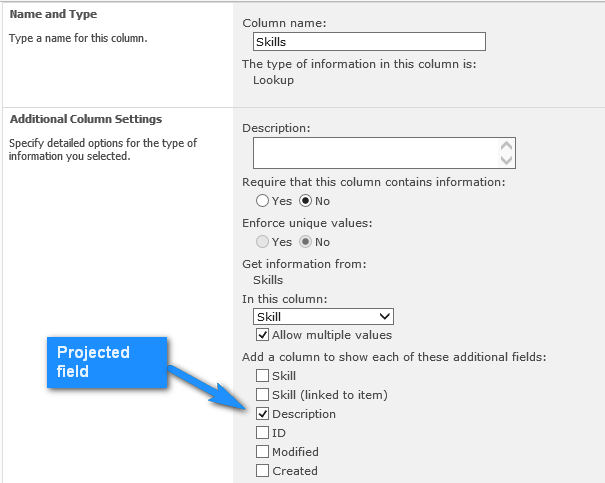
When expanding a multi-value lookup column (see the screen shot below) – meaning breaking down multiple values into single value by duplicating each item as if you were doing a join between the item and the lookup values - , Enesys RS Data Extension 3.8 and earlier will just duplicate projected fields value like with any other fields instead of retrieving the value that matches the single value in the target list.
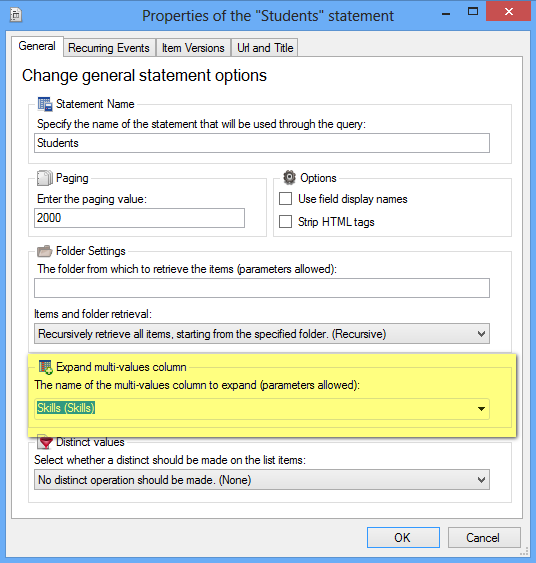
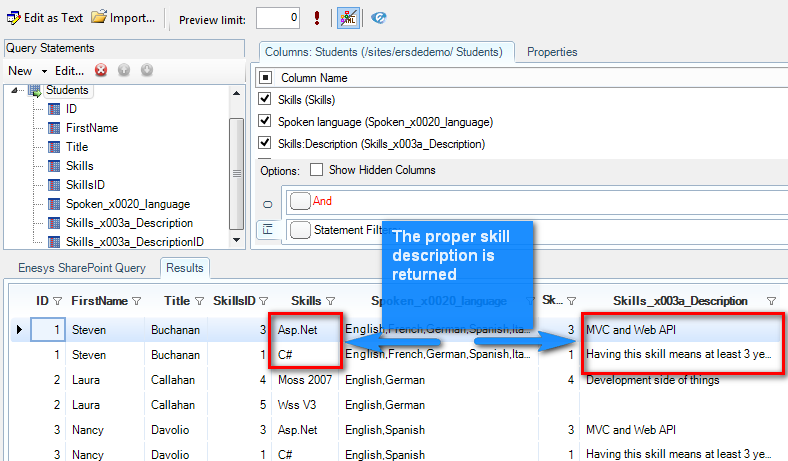
Enesys RS Data Extension 3.9, provides support for projected fields and will automatically extract the single value that matches the lookup value item.
Support for multi-value parameters in the query designer
Section titled “Support for multi-value parameters in the query designer”Even though Enesys RS Data Extension queries supports multi-value parameters (using “IN” either at the list level or within a SqlQuery statement), it was only possible to pass a single parameter values when executing the query within the query designer for testing purposes.
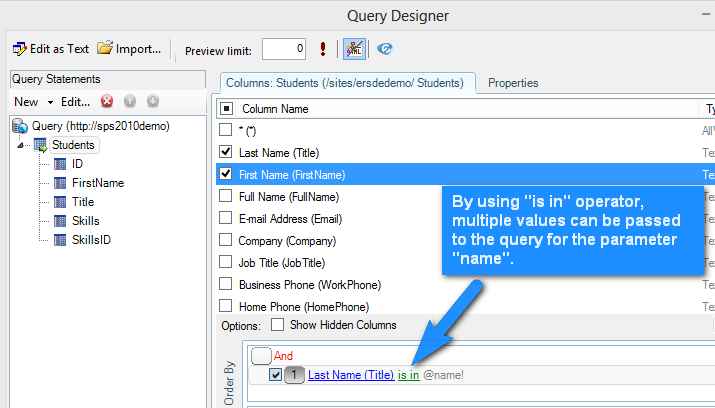
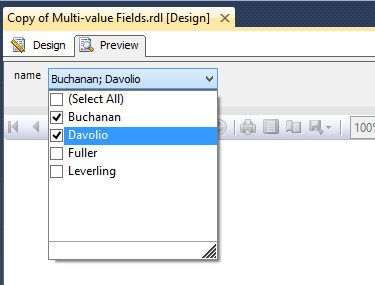
Not a major show stopper if you consider that you can preview the report within BIDS and therefore pass multiple values through regular report execution.
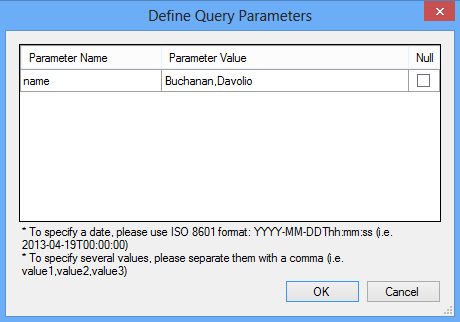
However to make it easier, it is now possible to pass multiple values directly within the query designer by using a comma to separate each value like shown in the following screen shot:
Send Debug Information the easy way
Section titled “Send Debug Information the easy way”Both Enesys RS Client Configuration and Enesys RS Server Configuration tools offer now an option to prepare debugging information that can be sent to our support.
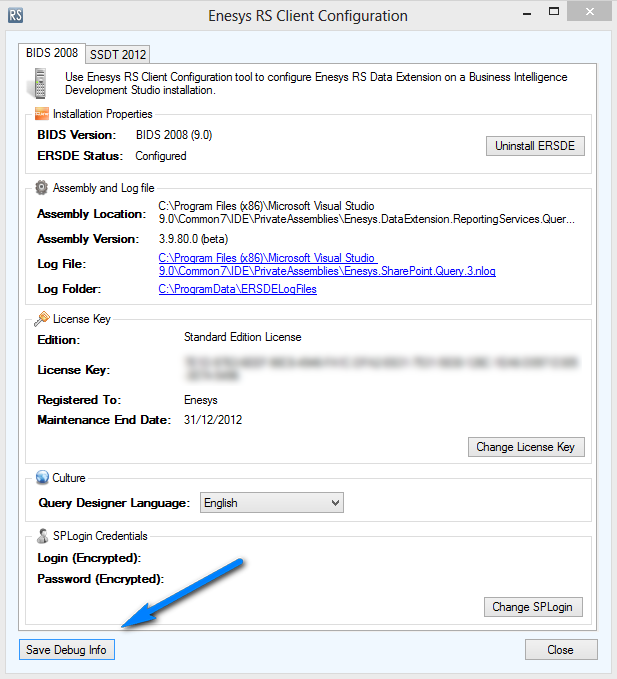
When clicking on Save Debug Info button you will be proposed to specify the name of a zip file that will contain various files that will help our support in providing assistance. We’ll get the details of your configuration like the exact version of Enesys RS Data Extension you are using, the BIDS version (could be BIDS 2005, 2008, 2008R2 and 2012) and so on. The zip file also includes the latest error log data.
As a rule of thumb, you should always provide the zip file obtained using this approach when opening a ticket with our support.