Logging Configuration
To enable logging, a configuration file should be copied into the bin folder or your Report Server. This manipulation is automatically done by Enesys RS Server Configuration tool when installing Enesys RS Data Extension . And it can manually be done by clicking on the appropriate link inside Enesys RS Server Configuration :
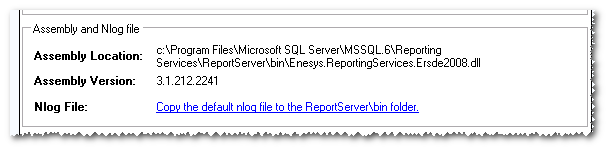
By default, errors will be written in a file named “ERSDE2008Error.log”, located in the same folder used by Reporting Services for logging information (i.e.: LogFiles). Log files will be archived every day using the following naming scheme: ERSDE2008Errorxxx.log, where xxx represents a sequential number. Only the last 10 files will be kept (i.e.: 10 days error logging).
The same logging mechanism is available within the Query Designer, and
can be configured using Enesys RS Client Configuration . By default,
errors will be written in a file named “ERSDE2008RError.log”, located in
the <CommonApplicationData>ERSDELogFiles folder, where
<CommonApplicationData> varies depending on your system (“
C:ProgramData ” on Vista/7, “ C:Documents and SettingsAll
UsersApplication Data ” on Windows XP). Log files will be archived
every day using the following naming scheme: ERSDE2008Errorxxx.log,
where xxx represents a sequential number. Only the last 10 files will
be kept (i.e.: 10 days error logging).